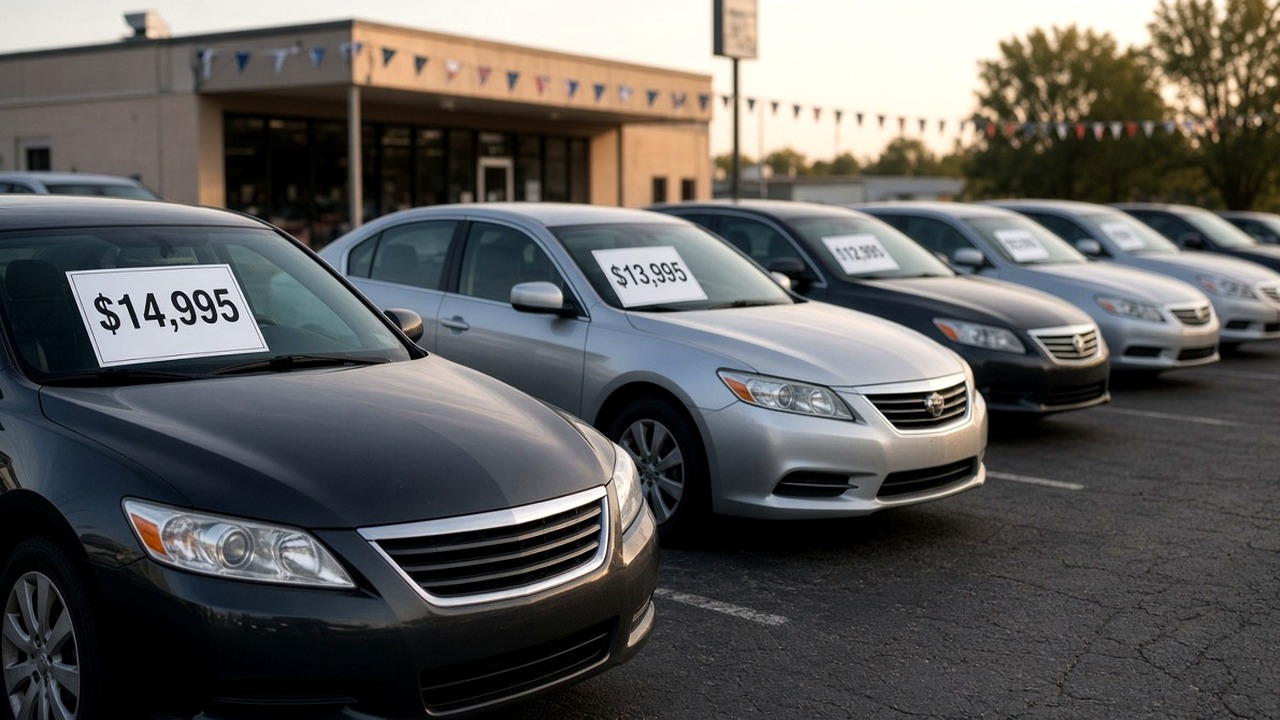
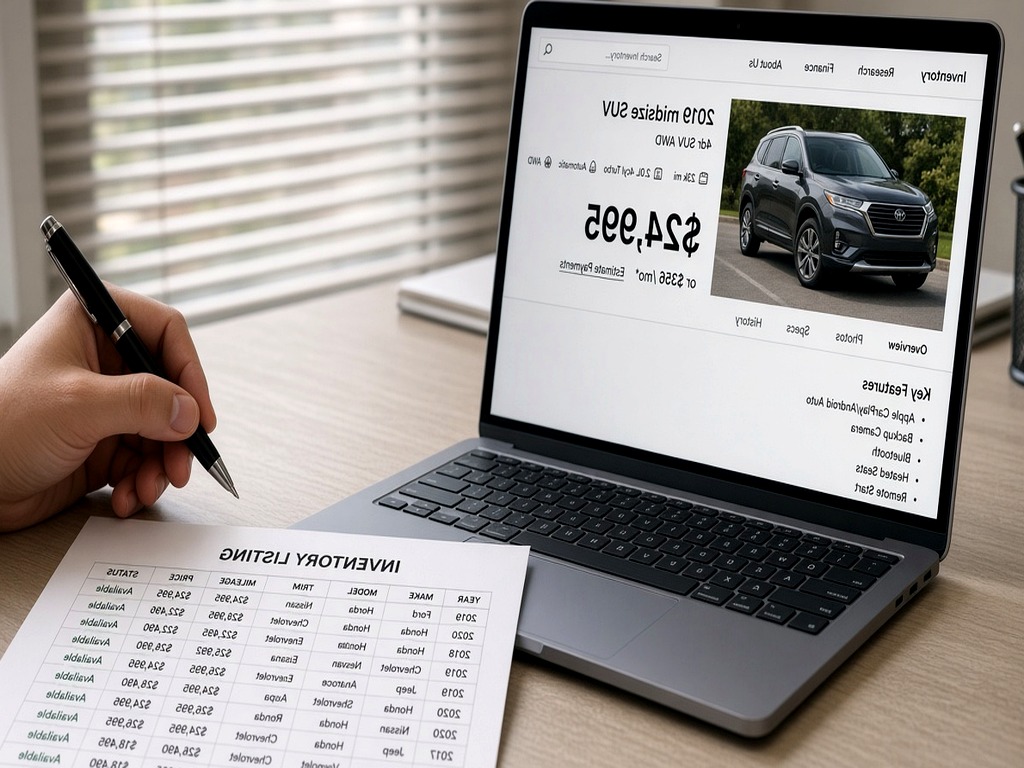
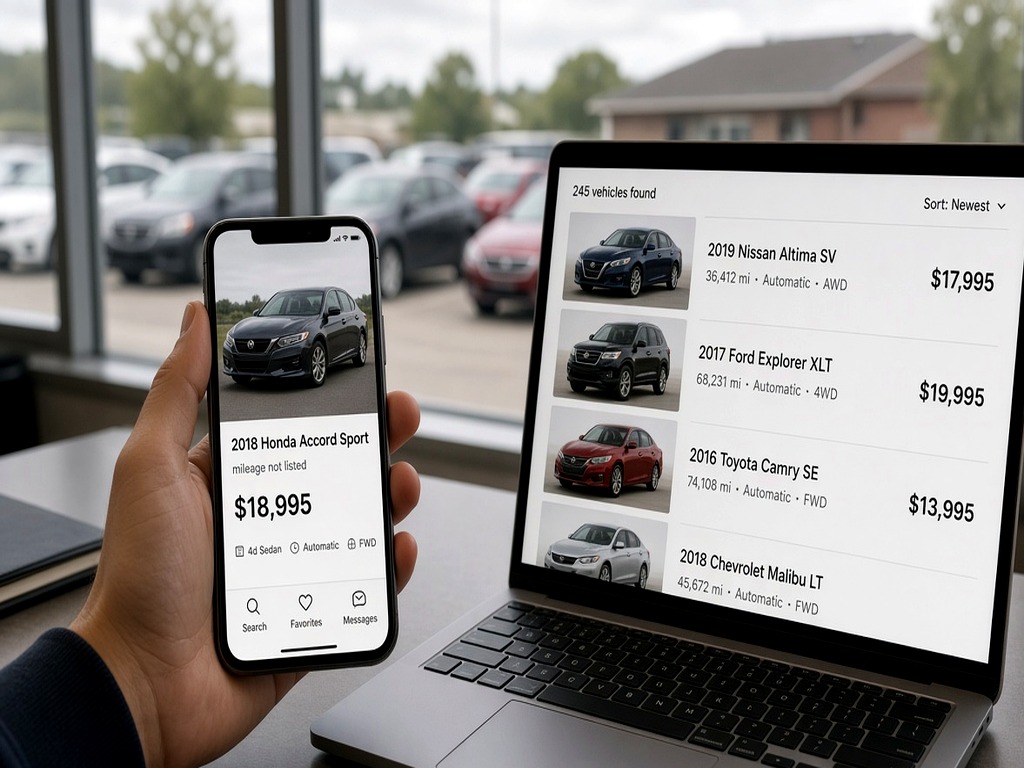
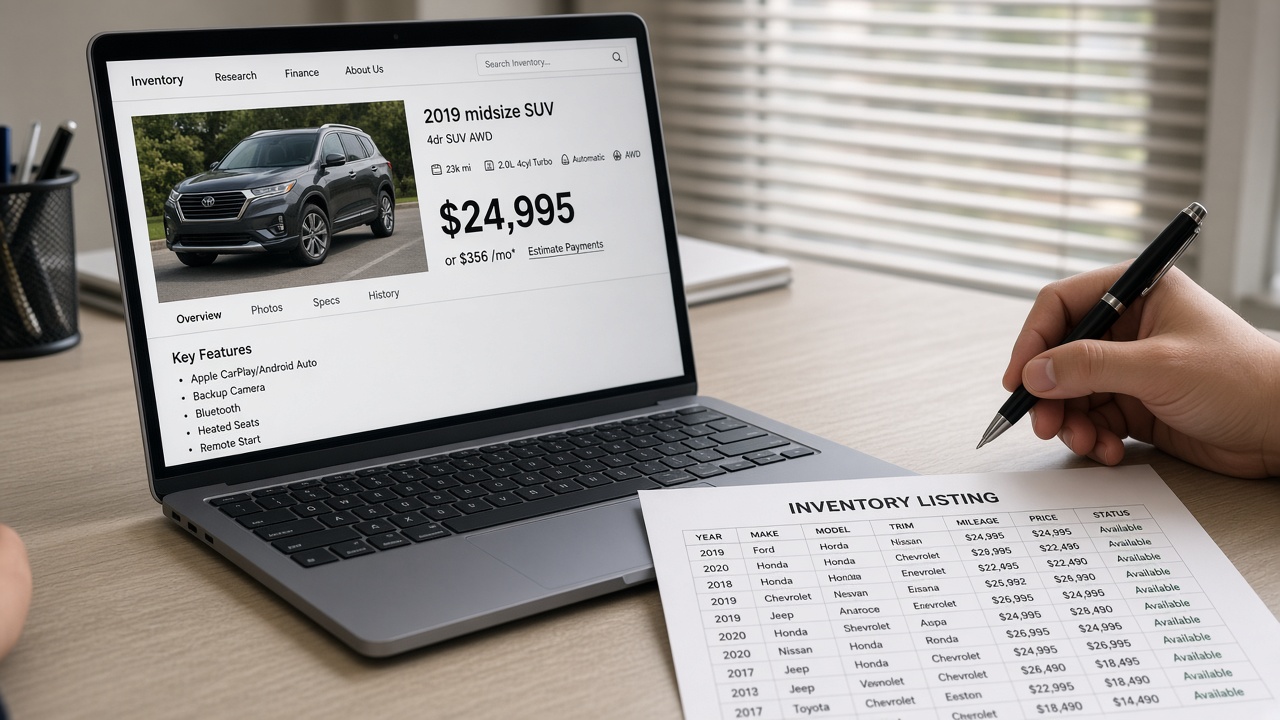
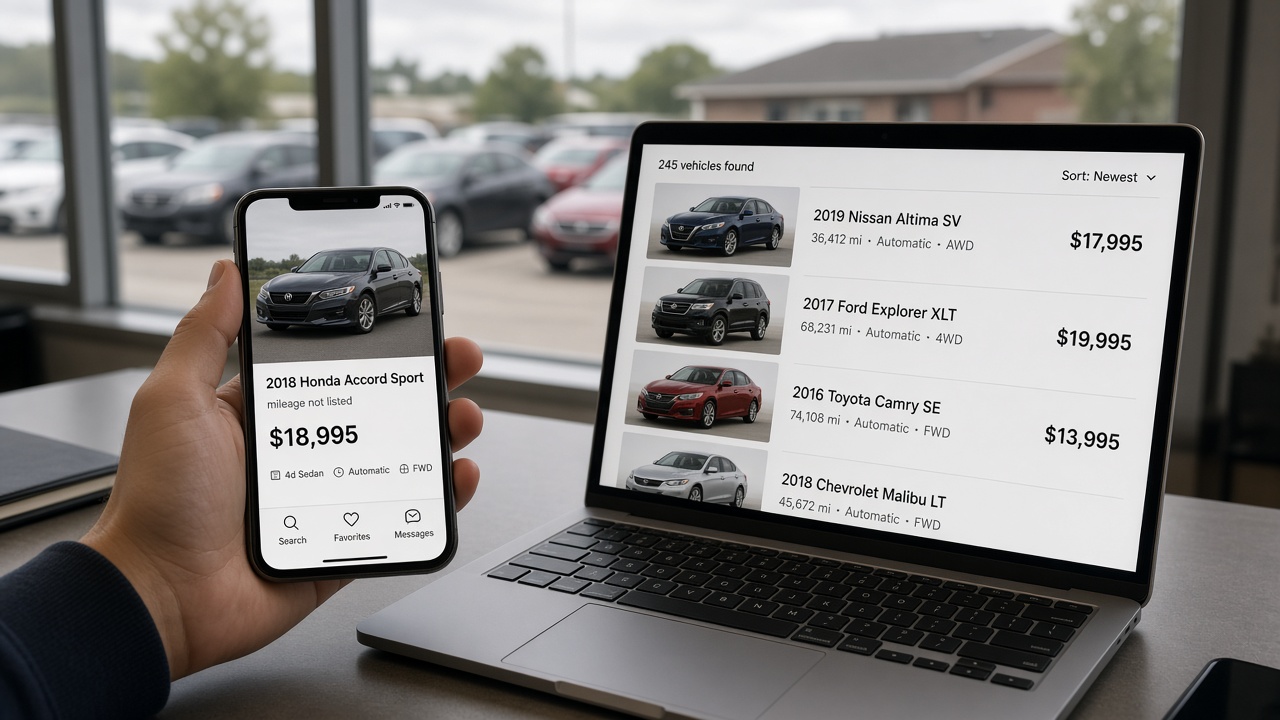
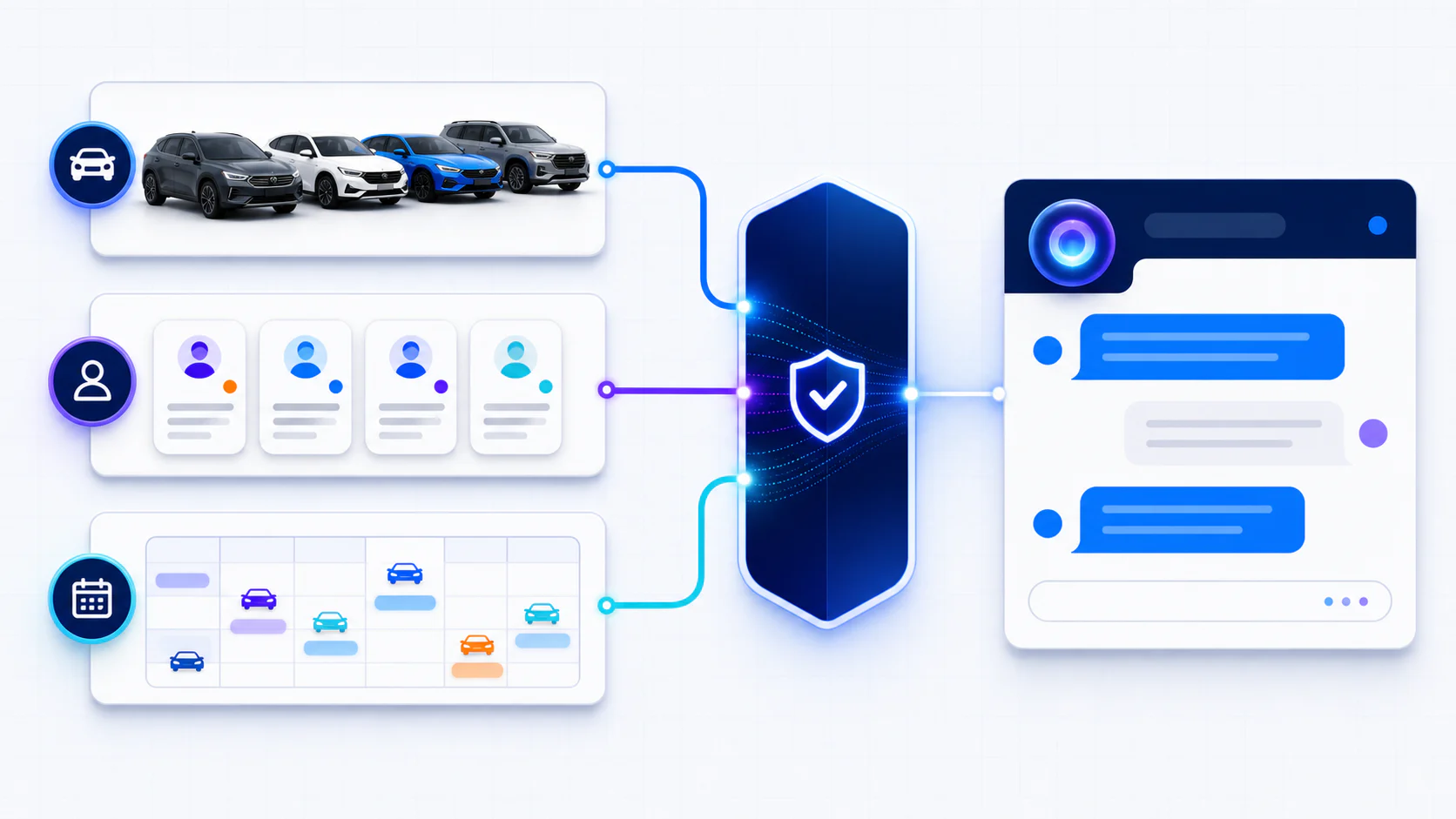
On October 15, 2026, New York City’s Department of Consumer and Worker Protection (DCWP) sued CarGurus in New York State Supreme Court. The city says CarGurus labeled used cars “Great Deal” or “Good Deal” based on asking prices that left out mandatory dealer fees, down payment conditions, and trade-in requirements, and that it did so more than 2,000 times. CarGurus says the claims don’t reflect the facts and that it will defend itself.
CarGurus is the defendant, but every listing quoted in the complaint was posted by a dealer. Two days before the suit, on October 13, CarGurus also rewrote its Dealer Pricing Policy with tighter fee rules and a list of fee labels it will treat as violations. If you list used cars on CarGurus, your Deal Ratings now depend on how you fill out the fee setup tool and what you leave in your vehicle descriptions. This post covers what the city alleges, what the October 13 policy says, and the changes an independent lot can make to its CarGurus listings and its own website this week.
What New York City says CarGurus did
DCWP enforces the New York City Consumer Protection Law, which bans false advertising and special offers with hidden conditions. The complaint makes three main claims against CarGurus.
Deal Ratings and “below market” savings figures were calculated on an asking price that did not include every fee or condition in the dealer’s offer. The complaint counts at least 1,211 NYC listings rated “Great” or “Good” on a false asking price between September 15, 2023 and June 29, 2026, and at least 2,017 published savings calculations it calls deceptive.
The fee badges CarGurus added in late April (“Price includes fees,” “No additional dealer fees,” “Fees not disclosed”) were wrong on at least 149 NYC listings between April 30 and June 29, 2026, because the dealer disclosed a small fee in the tool and kept larger fees in a disclaimer.
CarGurus’ AI chatbot could generate lists of “Great Deals” in New York City without showing the dealer disclaimer or vehicle description, so a shopper using it had no way to see the extra fees without clicking through to each listing.
The city also argues that CarGurus publishes dealer pricing guidelines and says it enforces them, but left deceptive listings up after DCWP sent cease-and-desist letters in July 2023 and May 2025. The complaint asks for a permanent injunction, restitution, and civil penalties of up to $3,500 for each knowing violation.
A New York City rule sits underneath all of this. Under 6 RCNY § 2-103(i), the selling price of a car from a licensed second-hand dealer is the price advertised, and it “shall include all charges connected with the sale.” DCWP also proposed a citywide junk fee rule in July that would require the full price, with all mandatory charges, up front for any good or service.
The listings in the complaint
Two listings from the complaint show what a shopper saw.
On June 15, 2026, CarGurus showed a 2018 Honda CR-V EX AWD from Elite Mitsubishi at $16,174, $2,212 below market and rated a “Great Deal.” The listing carried the “includes dealer fees” badge, and clicking it showed a $175 documentation fee inside the price. Further down, a separate disclaimer listed Prep & Destination at $1,995, a Conveyance Fee of $995, and an Admin Fee of $695. That is $3,685 in fees outside the price. By the city’s math the car was $1,473 above market, which by CarGurus’ own definitions is no Great Deal.
On September 22, 2026, a 2018 Mercedes-Benz GLE 350 from Novo Motors was listed at $18,590 and shown as $3,413 below market. The dealer disclaimer at the bottom said the advertised price reflected “the balance after a 20% downpayment.” The complaint puts the real cost $1,234.50 above market.
The complaint also says DCWP denied Elite Mitsubishi’s most recent license application, in part over its persistent misleading ads. Dealers whose listings end up as exhibits can face their own consequences.
A CarEdge report cited in the complaint found that mandatory fees added about $1,100 on average to listed prices across more than 40,000 online quotes. If your doc fee and prep fee sit outside your CarGurus price, your listing looks like the ones in this complaint.
What CarGurus changed this year, and what the October 13 policy adds
CarGurus has been moving toward all-in pricing for months, and the complaint lays out the timeline.
Around April 30, CarGurus added fee badges and a shopper filter for listings that include dealer fees.
On June 24, it told dealers that starting July 14, used listings without disclosed fees would get “No Rating” and drop lower in search results, and that IMV (Instant Market Value) and Deal Ratings would be calculated on the all-in price including disclosed fees.
On July 29, according to the complaint, CarGurus reported that more than 90% of used inventory from subscribing dealers included disclosed fees.
The updated Dealer Pricing Policy, dated October 13, 2026, goes further than a disclosure requirement. Every price on CarGurus must be the price available to any shopper and must include all mandatory dealer-imposed fees, with only tax, title, license, registration, and other government fees left out. A price cannot be conditioned on a down payment, a trade-in, dealer or preferred-lender financing, a payment method, or buying another product. Rebates and discounts can only be baked in if every shopper gets them without applying or qualifying.
The policy names the fees it expects to see disclosed: documentation fees, reconditioning fees, dealer processing fees, electronic filing fees, market adjustments, and mandatory dealer-installed or pre-installed products and packages. It also lists fee entries that will not pass, including “John’s Dealership Financing Rebate,” “Down payment required,” a fee named “120,” and “Price Does Not Include Prep Fee 299.”
The policy also says dealers “must not manipulate the CarGurus fee disclosure tools,” which the policy defines as disabling, mislabeling, or toggling fee entries to make the price look lower or earn a better Deal Rating. And CarGurus says it may check your own website, shopper feedback, and other platforms when it decides whether you comply. Penalties run from pulling your Deal Ratings and pricing to removing some or all of your inventory, with or without notice.
Why a lawsuit against the marketplace lands on your listings
CarGurus has a lawsuit to answer, and its fastest lever is enforcement against dealers. Its CEO’s statement says the Trust and Safety team uses AI tools and human review to find listings that break the rules and can remove Deal Ratings, pricing, or dealers from the platform. With a lawsuit pending, it is reasonable to expect more of those checks, comparing your disclosed fees against your description text and the price on your own vehicle pages.
Regulators are working the same issue from the dealer side. The FTC warned 97 dealer groups in March to advertise prices that include all mandatory fees, and its October 8 settlement with Greenway Auto Group spelled out how a dealer’s third-party listings are treated. We covered what the Greenway order requires and how its listing safe harbor works last week, and the fee math for building an advertised price is in our walkthrough of the FTC’s dealer pricing guidance. This post sticks to what changes inside CarGurus.
A “No Rating” listing also ranks lower, and shoppers can now filter to see only listings with fees included. If CarGurus is a meaningful lead source for your store, a fee setup that is incomplete or gamed costs you visibility before any regulator gets involved.
Set up CarGurus fee disclosure so the Deal Rating holds up
Start with your buyer’s orders before you open the dashboard. Pull three recent retail deals and write down every charge that was not tax, title, or registration. That list is what CarGurus means by mandatory dealer fees. If a charge showed up on every deal, it belongs in the price.
Open the dealer fee setup tool in your CarGurus Dealer Dashboard and enter each mandatory fee as its own line. Use the same name the buyer sees on paperwork. CarGurus’ Digital Deal setup guide asks for consumer-facing fee names of 40 characters or less that match how the fee appears in store.
Leave government charges out. Tax, title, and registration are excluded by the policy, and CarGurus’ setup guide says it pulls them from a third party.
If your feed already sends an all-in price, turn on the setting that says fees are included in your inventory feed. Leaving it off can cost you the Deal Rating even when the number is right. Turning it on when the feed price excludes fees is the kind of toggling the October 13 policy calls manipulation.
Check the price preview in the tool against a real buyer’s order for one car. The preview number should match what your desk would quote a cash buyer before tax and tags.
Update fees the same day they change at the store. If you raise the doc fee on the first of the month, the CarGurus number changes on the first of the month.
Mandatory packages need a decision. Nitrogen tires, window etch, or a theft device that is already on the car and cannot be declined is a mandatory charge under the policy. Either put it in the price or make it optional in practice, which means a buyer can say no and pay the advertised number.
Delete the fee disclaimers buried in your descriptions
Almost every example in the complaint followed the same pattern. A small fee was disclosed through the tool, and larger fees were listed in the vehicle description or a disclaimer box near the bottom of the page. That pattern got the listings flagged, and the October 13 policy now names it.
Most lots did not write those disclaimers last week. They came from a template in the DMS, a feed provider default, or a description someone wrote in 2022 and nobody touched since. Search your feed or description templates for these strings:
“does not include,” “plus,” “excludes,” and “not included”
“prep,” “reconditioning,” “conveyance,” “admin,” “processing,” “dealer fee,” and “documentation”
“internet price” or “e-price” when it differs from what the desk will honor
Every hit has two possible fixes. Fold the charge into the price and delete the sentence, or confirm a buyer can decline the charge and rewrite the line so it says so plainly. Do not keep a disclaimer that contradicts a “Price includes fees” badge. That combination is the core of the city’s case.
Watch payment and down-payment language too. A listing that advertises the balance after 20% down, like the GLE 350 in the complaint, fails the policy outright. If you want to show payments, show them as a separate figure below a price any cash buyer can pay.
Keep your website and your CarGurus price on the same number
CarGurus says it may look at your own website when checking compliance. If the VDP on your site shows $16,174 with “plus $1,995 prep” and your CarGurus listing shows $19,859 with fees included, the mismatch looks like an error at best and a bait price at worst.
The fix is one price source. Set the all-in price once, in your inventory system or website platform, and send that same number to your site, CarGurus, Facebook, Cars.com, and Google. Every marketplace has its own rules for fees, and the safest feed is one where no destination has to add anything. We made the same argument for Google in our guide to feed and landing-page price mismatches, where Merchant Center disapproves vehicles when the feed and the page disagree.
Check timing as well as amounts. If your website updates prices hourly and your CarGurus feed runs once a night, a price drop can leave the two numbers apart for most of a day. Ask your feed provider when each export runs and whether price changes trigger an extra push.
If you display CarGurus Deal Rating badges on your own VDPs, read that section of the policy closely. Badges have to be requested from CarGurus each time a page loads, shown only in the exact form CarGurus provides, and the price beside them has to follow the same fee rules. A saved image of a “Great Deal” badge next to a fee-excluded price would put the problem New York is suing over onto your own site.
Down payment, trade-in, and financing-only prices
Buy-here-pay-here and finance-focused lots run into the October 13 rules more than anyone. A price that only works with in-house financing, a minimum down payment, or a trade cannot be the CarGurus price. Neither can a price with a rebate that only some buyers qualify for, such as a military or loyalty discount.
You can still advertise financing. The headline price on CarGurus and on your VDP has to be the cash price any shopper can pay, with payment offers below it and their own terms. If your business model depends on a lower “with financing” number, expect CarGurus to treat those listings as non-compliant, and expect a shopper who reads the city’s press release to ask about it.
What the chatbot claim means for your listing data
The chatbot section of the complaint is short. It says the chatbot’s “Great Deal” lists showed price and rating but left out the dealer disclaimer and vehicle description. Assume every AI shopping tool, marketplace search page, and Google listing works the same way, reading structured fields like price, mileage, and Deal Rating and skipping the fine print at the bottom of your description.
Anything that changes what a buyer pays has to live in the price field. If that field excludes $2,000 in fees, every tool that quotes it is quoting a price your desk won’t honor.
A one-week CarGurus Deal Rating cleanup for a 40 to 150 car lot
This is a few hours of work spread across a week, and most of it is checking.
Monday: Pull three recent buyer’s orders and list every non-government charge. Decide which are mandatory and which a buyer can really decline.
Tuesday: Update the CarGurus fee setup tool to match that list, with fee names buyers will recognize. Set the feed-includes-fees option to match what your feed sends.
Wednesday: Search description templates and dealer disclaimers for fee, down payment, and financing language. Fold charges into price or rewrite them as optional.
Thursday: Compare ten VINs across your website, CarGurus, and Facebook. The headline price should match on all three, and any CarGurus listing showing “Fees not disclosed” or “No Rating” goes on a fix list.
Friday: Brief the sales desk. A shopper who saw $19,859 with fees included should get a buyer’s order that starts at $19,859 before tax and tags. Save screenshots of ten listings and their matching buyer’s orders in a dated folder.
Keep the screenshots. If CarGurus pulls a Deal Rating or a shopper complains to a regulator, a dated record showing the listing price matched the quote is the most useful thing you can produce.
AutoFire™ gives independent used-car dealers a lot website where every car gets its own page, and the same inventory record feeds the site and your marketplace syndication. You set the price once, with your fees inside it, and that number goes everywhere. If your CarGurus and website prices have drifted apart, you can get your lot online with AutoFire or book a short demo to see how one price source works.
On October 8, 2026, the FTC filed a complaint and a stipulated settlement against Greenway Auto Group, a set of Kia and Hyundai stores around Orlando. The FTC Greenway order is the first court order to come out of this year’s dealer pricing push, and it reads like a compliance spec: a fee definition, a prominence standard, a safe harbor for third-party listings, bans on specific sales tactics, and five years of recordkeeping. Greenway is a franchise group, but every provision maps to something an independent lot does every week.
This post walks through what the FTC alleged, what each part of the order requires, and a dealer checklist mapped to those provisions. If you want the general fee math and VDP layout walkthrough, our FTC price transparency FAQs post is the place for that, and this post links back to it instead of repeating it. It is practical guidance from a dealer-website team, not legal advice. Run anything state-specific past your attorney.
What the FTC alleged against Greenway
The complaint, filed in the Middle District of Florida (Case 6:26-cv-02337), describes a pricing pattern many shoppers will recognize. Greenway advertised specific vehicles online and on third-party sites at one price, then charged more when the buyer sat down to sign. According to the FTC, buyers in more than 92% of transactions paid more than the advertised price, and those buyers paid an average of $3,354 more.
The complaint lists where the extra money came from:
Dealer-imposed fees. One Greenway Kia North disclaimer named a $1,199.95 Dealer Fee, a $399.50 Administration Fee, and a $189.95 PTA Fee, bundled in the same sentence as taxes, tags, and title.
Reconditioning or “inspection” fees that, according to the complaint, often appeared nowhere in the online listing.
A roughly $995 “loyalty” discount baked into the internet price, which only repeat customers could get.
Discounts that only applied if the buyer financed through the dealership.
Mandatory add-on packages, including a $2,295 “Greenway Advantage” package the complaint says staff told buyers could not be removed.
Government charges such as title and registration that the FTC says were inflated.
The fee disclaimer sat at the bottom of the VDP, below several screens of unrelated content. The FTC’s complaint calls that fine print deceptive in its own right, because it mixed dealer profit items with government charges and made the add-ons look like taxes.
In March 2026 the FTC’s Bureau of Consumer Protection sent warning letters to 97 dealer groups, Greenway among them, telling them the price in an ad has to be the price the buyer pays apart from government charges. According to the complaint, Greenway responded by adding banners that read “GREENWAY ALL-IN PRICE” and “ZERO HIDDEN FEES,” plus new disclaimer copy promising transparent pricing. The complaint says that on May 28, 2026, a 2026 Kia Sportage X-Line advertised at a “Greenway Sale Price” of $37,752 was quoted in writing at $39,854.40.
The complaint also covers prize mailers that told recipients they had won cash they could collect at the dealership. The FTC says the prizes were not real.
What the FTC Greenway order requires, provision by provision
Greenway neither admitted nor denied the allegations. Per the FTC, a stipulated order has the force of law once the district judge signs it, and this one is specific enough to use as a checklist.
Total Price, defined
The order defines Total Price as “the maximum total price, including all mandatory fees or charges a consumer must pay for a motor vehicle,” minus only charges that a federal, state, or local government requires the consumer to pay. Doc fees, dealer fees, admin fees, prep fees, reconditioning fees, and any package the buyer cannot decline all belong inside that number. Sales tax, title, and registration that go to the state can stay out. That matches the “actual price” standard FTC staff described in September, so if you already did the fee math from our pricing transparency FAQs walkthrough, the order confirms it rather than changing it.
Most prominent, clear, and conspicuous
Section II bars Greenway from showing “any amount a consumer may pay to purchase, finance, or lease” a vehicle without also showing the Total Price, clearly and conspicuously, “as the most prominently displayed item in any visual disclosure.” That covers monthly payments, down payments, and “as low as” figures as well as the sticker number.
The order also spells out what clear and conspicuous means. A visual disclosure has to stand out by size, contrast, location, and how long it appears. On a website or app it has to be “unavoidable,” so a link to a disclaimer page or a tooltip does not count. It cannot be contradicted by anything else in the ad, and in video it has to be spoken and shown at the same time.
A safe harbor for third-party listings
Greenway is not automatically in violation when a marketplace or other third party advertises one of its cars with the wrong number, as long as three things are true. Greenway gave the third party the Total Price and asked that it be shown as the most prominent item, Greenway did nothing to undercut that request, and Greenway took every step within its control to get the third party to display it that way.
Every dealer who lists on CarGurus, Cars.com, AutoTrader, Facebook, or Google vehicle ads faces the same question. Responsibility for the price on those sites starts with the feed and the request you send, and the dealer has to be able to show both.
Records by VIN and by channel
For five years, Greenway has to keep, for each advertised vehicle, the VIN or stock number, the vehicle description, the advertised prices and the dates those prices ran, and the disclaimer text it supplied. It also has to keep one representative ad per marketing channel per month, plus every pencil, four-square, buyer’s order, and consumer complaint. That is close to a ready-made logging spec for any lot.
No fine, for now
The order carries no monetary relief. According to Hudson Cook’s enforcement alert, after the Supreme Court’s 2021 decision in AMG Capital Management v. FTC, Section 13(b) of the FTC Act does not let the agency collect money, and with the CARS Rule vacated there was no trade regulation rule violation to support civil penalties. Greenway still ends up under a federal injunction, with sworn compliance reports for years and court contempt as the risk if it slips.
Why an order against one group matters to an independent lot
The order binds only Greenway. Its Total Price definition lines up with what FTC staff told every dealer in writing a month earlier. The FTC’s press release calls price transparency “a top priority,” and it follows the September 15, 2026 staff FAQs we covered in FTC Price Transparency FAQs for Dealers. The FAQs were guidance. Greenway is a lawsuit against a group that got one of the March warning letters and, according to the FTC, kept advertising the same way.
Microsoft Advertising is moving the same way. Microsoft Advertising updated its pricing policy for U.S. automotive dealer ads in early October, with PPC News Feed spotting the change on October 2 and Search Engine Land reporting it on October 5. Coverage so far says the policy targets how vehicle prices and discounts are represented. If you run Microsoft search ads, pull the current policy text from your account before you change templates rather than relying on summaries.
Fee surprises also cost sales. Shoppers compare your listing to three others on the same screen. If your $14,995 car becomes $16,300 at the desk, the shopper who drove 40 minutes leaves a review about it, and that review sits on your Google profile longer than any price drop. Greenway’s complaint describes a couple who confronted the dealership and then posted a negative review, after which the store lowered the online price on that same car.
Run Section II as a pass or fail test
Section II is the heart of the order, and it works best as a yes or no test rather than a redesign project. Open three of your vehicle pages and one marketplace listing on a phone and answer four questions. Is any payment, down payment, “as low as,” or strike-through figure larger or higher on the screen than the all-in price? Is any required dealer fee missing from that price? Does any discount in the headline number depend on financing, a trade, loyalty, or a group affiliation? Is the fee explanation behind a link, tooltip, or footer instead of next to the price?
Any yes is a fail under the order’s language. The fixes themselves (fee math per unit, price hierarchy, payment-widget labels, sold and in-transit status) are covered step by step in our lot-site audit for the FTC pricing FAQs, so work from that list and use this test to confirm the result.
Use Greenway’s disclaimer as the example of what to delete
Greenway’s original disclaimer named dealer fees in the same sentence as taxes and tags, ran about 240 words, and sat at the bottom of the page. The complaint treats that structure as deceptive on its own, because it made profit items look like government charges. A version that fits the order is two sentences, placed right under the price:
“Price includes all dealer fees. Sales tax, title, and registration fees paid to the state are extra.”
If you sell optional products such as service contracts, GAP, or appearance packages, say they are optional and are not in the price, and make sure the desk treats them that way. Greenway also added “optional” language to its disclaimer, and the complaint says staff still told buyers the package could not come off.
Build a safe-harbor file for every third-party channel
The safe harbor protects Greenway only if it can prove three things: it supplied the right price, it asked for that price to lead, and it did everything in its control to get the listing fixed. For an independent lot on CarGurus, Cars.com, AutoTrader, or Facebook, that proof lives in a saved folder of emails and screenshots.
Send each marketplace rep a short written request that your listed price displays as your all-in price with dealer fees included, and save the email and the reply.
Keep one screenshot per channel per month next to the matching page on your own site, so you can show the numbers agreed on that date.
When a listing shows a different number, log the date you noticed, the follow-up you sent, and the date it was fixed.
Do the same for any agency or co-op program that runs ads in your name.
The safe harbor does not cover a feed you mapped wrong. If your Facebook catalog or Google feed pulls a pre-fee field, that is your error, and our post on Google vehicle ads feed and VDP mismatches covers how those drift. The order also bars misrepresenting “the availability of vehicles at an advertised price,” so a sold unit still live on three marketplaces is a gap in the file too.
Only claim “no hidden fees” if the desk can back it up
After the warning letter, the Greenway stores added “ZERO HIDDEN FEES” and “the price you see advertised online is the real price” to their websites without changing what the sales desk quoted. In the FTC’s complaint, those banners show up as proof that the dealership knew the rules.
Before you add a transparency badge to your site, run a quick test. Pick three stock numbers at random. Have someone who does not work the desk ask for a written out-the-door quote by text or email. Compare each quote, line by line, to the VDP price plus state tax, title, and registration. If any line other than government charges shows up, fix the process first and add the badge later. Our free out-the-door price calculator is a quick way to show a shopper the government charges on top of your Total Price.
Train the desk on the same point. A salesperson who says “that internet price was for financed buyers” is repeating one of the specific practices in the complaint. So is “every car gets our protection package.” If a product is mandatory, it goes in the price. If it is optional, the buyer can say no and pay the advertised number.
Copy the order’s five-year recordkeeping spec
The order’s recordkeeping section is useful even for a 30-car lot, because it describes what an investigator or an attorney general’s office would ask for first. A shared spreadsheet covers most of it.
One row per stock number with VIN, year, make, model, and the date it went live.
Each advertised price and the date it changed, including price drops.
The disclaimer text that ran with the listing.
A monthly screenshot of one listing from each channel you use (your site, CarGurus, Cars.com, AutoTrader, Facebook, Google).
Copies of the buyer’s order and any worksheet used to pencil the deal.
Every price complaint, including bad reviews about fees, and what you did about it.
If your website keeps a price history per vehicle, export it monthly instead of retyping it. The goal is to show, for any car on any date, what price you advertised and what the buyer paid.
Prize mailers, loyalty pricing, and financing-only deals
Three smaller items in the order affect promotions independent lots run all the time.
Prize and scratch-off mailers are covered directly. The order bans misrepresenting whether someone won, what the prize is, and what it is worth. If you use a direct-mail vendor for a “you may have already won” piece, read the copy yourself. The dealership’s name is on it, not the vendor’s.
Loyalty or returning-customer discounts are fine as a separate offer. Greenway’s problem, according to the complaint, was a $995 loyalty discount built into the advertised price that most buyers could not get. Keep the advertised number at what any buyer pays, and list the loyalty savings below it.
Financing-only pricing is the third. The order bars misrepresenting “whether any type of or source for financing is required” to get a vehicle at a particular price. Buy-here-pay-here and in-house finance lots should be especially careful. If cash buyers and outside-financing buyers pay a different price than in-house buyers, the advertised price has to be the one every buyer can get.
FTC Greenway order checklist for dealers
Each line below maps to a specific part of the order. Print it, work through it with whoever sets prices and whoever runs the desk, and date it when it is done.
Fee definition. You have a written list of every fee charged on every deal, each marked required or optional, and every required fee sits inside the advertised price.
Prominence (Section II). Three vehicle pages, one search results page, and one marketplace listing pass the four-question test above on a phone.
Clear and conspicuous. Nothing about fees lives only behind a link, tooltip, or footer, and any video ad that states a payment also says and shows the all-in price.
Conditional offers. Financing-only, trade-in, loyalty, and group discounts appear below the headline price with their conditions, never inside it.
Financing representations. Cash buyers and outside-financing buyers can buy at the advertised price, and nobody on the floor says otherwise.
Add-ons. Every package a buyer cannot decline is in the price, and every optional one can actually be removed at the desk.
Transparency claims. Any “no hidden fees” or “all-in price” badge has passed a three-car written quote test run by someone outside sales.
Safe harbor. Each third-party channel has a saved written price request and a current monthly screenshot.
Prize promotions. Someone at the dealership has read the copy on every mailer or scratch-off before it ships.
Records. A spreadsheet exists with VIN or stock number, advertised prices and dates, disclaimer text, monthly channel screenshots, deal worksheets, and price complaints, with a calendar reminder to keep it current.
Moving required fees into every listed price can push your cars lower on price-sorted marketplace results for a while. The trade is a listing that matches the desk, fewer walkouts, fewer one-star fee reviews, and a file that answers the first question an investigator asks.
Where AutoFire fits
AutoFire™ gives each car its own vehicle page on a lot website you run yourself. On Pro, the same inventory record feeds the private outbound feeds you share with marketplace partners, so a price you correct once on the website goes out to every enabled channel without a separate spreadsheet. That shortens the prominence and safe-harbor items on the checklist above. You can see how the feeds work on our inventory syndication page, or start a site at goautofire.com and keep one price on every channel.
On September 29, 2026, CarGurus published details on VINMax, a VIN-level marketing tool that uses the company’s marketplace demand data to decide which cars get extra exposure. CarGurus says boosted listings sold nine days faster than comparable non-boosted ones (a 23% turn improvement in their study window) and produced 34% more daily leads. Those figures come from CarGurus’ own analysis of about 10,300 boosted listings versus 24,000 similar never-boosted listings between February 1 and July 13, 2026. Treat them as vendor research, not a guarantee for your market.
If you run an independent used-car lot that lists on CarGurus, the useful question is not “is AI cool.” It is whether you can change how you pick boosts, fix VDPs before spend spikes, and catch aging units earlier this week. That is the operator guide below.
What CarGurus VINMax actually does for dealers
VINMax sits in CarGurus’ dealer toolkit next to pricing and shopper tools. In CarGurus’ framing, PriceVantage flags when a price change may help margin or velocity, VINMax decides where extra visibility can help after pricing is in range, and Shopper Signals points at buyers who look more likely to convert. VINMax promotes selected VINs on CarGurus and through off-site channels using live supply and demand signals. Strong-demand cars get pushed while interest is high. Soft cars get attention earlier, before they become 60- and 90-day problems.
For a 40-120 unit independent lot, that matters because most stores still boost the wrong way: the manager’s favorite car, the highest pack, or whatever the rep pitched last month. VINMax’s pitch is that the marketplace data should pick the VIN, not the Monday morning gut feel. You still own the photos, price, fees, and sold-car hygiene. The AI does not fix a dead VDP.
Why this passes the retail lot test this week
A used-car dealer can change something on the lot site, marketplace listings, ads, or lead follow-up because of this launch:
Turn VINMax on or ask your CarGurus rep how it is provisioned on your account
Audit which VINs currently get paid boosts and kill blind boosts on cars with weak photos or wrong prices
Bring aging inventory into a weekly review with price + merchandising + boost decisions in one meeting
Make sure your website VDP and CarGurus listing match on price, mileage, and availability before you pay for more views
Staff the BDC for a higher lead volume on boosted VINs so the extra inquiries do not die in voicemail
That is retail action. It is not a wholesale auction index story.
What the press release leaves out for independents
Wire coverage of VINMax mostly restates CarGurus’ turn-time and lead claims. Independent operators need the unglamorous parts:
Boosting a car with three phone photos and a mismatched fee still wastes money, even if the algorithm picked the VIN.
If your CarGurus price still excludes a mandatory doc fee while your lot site shows all-in pricing (or the reverse), you are training shoppers to distrust both pages. Pair this with the all-in price work from the FTC price transparency FAQ checklist.
Faster turn on CarGurus does not help if the unit is still live on your site and other marketplaces after it sells.
Off-site promotion in the VINMax stack can send traffic to a landing experience you do not control as tightly as your own VDP. Check what URL and creative shoppers land on.
Lead quality still depends on your response time. A 34% bump in daily leads is a staffing problem as much as a marketing win.
Build a VINMax-ready VDP before you spend
Before you let any AI decide which VIN deserves more exposure, run a hard VDP gate. If a car fails the gate, fix the page first. Do not boost it.
Price and fees. The cash price a shopper sees on CarGurus should match the price any buyer can pay on your lot site, aside from government charges. If you recently moved to all-in advertised pricing, confirm the feed field CarGurus uses is the same number your website shows. Marketplace deal badges and shopper comparisons get noisier when half the industry still games the sticker and half does not.
Photos. Minimum for a boost candidate: clean exterior set, interior, odometer, and at least one detail shot that proves condition. Dark garage phone pics and dealer-lot clutter kill conversion after the click. If VINMax sends more traffic to a weak gallery, you pay for bounce.
Copy. Write the options, recent service, and known issues in plain language. Skip slogan soup. Shoppers comparing two similar Compacts care about tires, brakes, Carfax notes, and whether the price is the real price.
Availability. In-transit and sold statuses must be honest. Boosting a car that already has a deposit is how you burn the next lead and your CarGurus reputation.
A two-hour VINMax audit for a 50-150 car lot
Block two hours this week. Bring your CarGurus login, your website inventory list, and last month’s aged units.
1. Map every paid boost you already run
Export or screenshot every VIN with a featured, spotlight, or other paid placement. Note days in stock, internet price, photo count, and lead count for the last 14 days. Anything with weak photos or a price you would not defend on your own VDP comes off boost today.
2. Ask how VINMax is configured on your store
Ask your CarGurus contact three plain questions: Is VINMax active on our rooftop? Which channels can it promote to? What budget or caps do we control? Write the answers in your ops notes. Do not assume the product that launched in the press release is already live on every package.
3. Build an aging triage list outside the algorithm
Pull every unit at 30, 45, and 60 days. For each one, force a decision: reprice, remake photos, wholesale, or keep and boost. VINMax can help the “keep” bucket. It should not be your excuse to avoid wholesale on a dead truck.
4. Sync website and CarGurus from one source
When price, mileage, or status changes on the lot, both the dealer website and the CarGurus listing need the same update on the same day. Feed lag is still one of the fastest ways to turn paid clicks into angry phone calls. If you also run Google Vehicle Ads, keep the same discipline you use for feed and VDP mismatch. CarGurus now withholds Deal Ratings from used listings whose price leaves out mandatory dealer fees, so read what the NYC lawsuit and the new fee rules mean for your listings.
5. Set a response SLA for boosted VINs
If VINMax works, lead volume climbs on specific cars. Assign an owner. Target first response in minutes during business hours, not “sometime today.” Log which boosted VINs produced appointments versus tire-kickers so you can tell whether the tool is buying traffic or buyers.
How VINMax fits affordability pressure heading into Q4
On September 28, 2026, Cox Automotive’s Derek Hansen told CBT News that used demand is tilting toward vehicles shoppers can actually finance, and that total inventory counts matter less than having cars in the price bands that are moving. Late-model used supply is still tight from pandemic production cuts, while new-car averages crossing $50,000 again keep more shoppers on the used lot.
That context is why VIN-level marketing is more useful than blanket homepage ads. If your lot is heavy in a slow band, boosting every unit equally spreads budget across cars the market is not financing. Pair VINMax (or any selective boost) with honest merchandising on your site: payment examples only when compliant, clear all-in prices, and filters that help shoppers find the financeable band you actually stock.
Independents who connect service-drive and CRM acquisition to the retail site still have an edge on sourcing those scarce bands. Marketing automation does not replace that inventory work. It only decides which of the cars you already own deserve more airtime this week.
Dealer examples: three boost mistakes VINMax will not save
The 72-day truck with one photo. A Midwest independent kept boosting a high-pack pickup because wholesale felt like a loss. CarGurus traffic rose. Appointments did not. The VDP still showed a single exterior shot and a price that ignored a mandatory doc fee shown on the buyer’s order. Fixing photos and all-in price moved the truck faster than another month of boost spend.
The “manager’s special” that never aged. A 35-car lot spent boost budget on a low-mileage SUV the owner liked. Meanwhile three Compacts in the hottest payment band sat quiet at day 40. A VIN-level tool that watches demand would have flipped that priority. Even without VINMax, sorting boost candidates by days supply in your price band beats sorting by ego.
The sold car that stayed featured. A store sold a sedan on Saturday, forgot to pull marketplace status until Tuesday, and kept paying for clicks into a “call for availability” dead end. Same-day sold suppression on the website feed and CarGurus listing is non-negotiable if you automate promotion.
A seven-day plan for CarGurus VINMax dealers
Day 1. Read CarGurus’ VINMax notes on the dealer site and confirm account access. Screenshot current boosts.
Day 2. Run the VDP gate on every currently boosted VIN. Fix or pause failures.
Day 3. Build the 30/45/60 aging list. Decide keep, reprice, remake, or wholesale.
Day 4. Align website internet price, CarGurus price, and fee disclosures. Spot-check five live VINs on both surfaces.
Day 5. If VINMax is available, enable or expand it with a clear monthly cap. If it is not on your package yet, ask for timeline and interim manual boost rules based on the aging list.
Day 6. Train sales and BDC on the boosted VIN list and the response SLA. Make sure STOP and consent rules still hold on text follow-up (see the recent TCPA texting after STOP notes if your store texts leads).
Day 7. Review leads, appointments, and turns on boosted VINs. Keep what produced appointments. Kill what only produced clicks.
Questions to ask before you sign a VINMax add-on
Independent dealers get burned when marketplace add-ons arrive with fuzzy packaging. Before you expand spend, get written answers on:
Whether VINMax is included in your current CarGurus package or billed as incremental spend
Which off-site channels it can use, and whether you can exclude any of them
How quickly a sold or price-changed VIN stops getting promoted after your feed updates
What reporting you get per VIN: spend, views, leads, and sold outcomes
Whether your store can override the algorithm and force a VIN off boost for operational reasons
If the rep cannot answer those in one call, pause. Selective boosting only helps when you can measure it against appointments and turns on your own lot, not against a national median from a press release.
Where AutoFire fits
AutoFire™ is a same-day retail lot website for independent used-car dealers. Each car gets its own page, and you run the site yourself. When marketplace tools like VINMax send more shoppers at specific VINs, the VDP on your own domain has to be ready: accurate price, current photos, and same-day sold updates. If you want that lot site in place without waiting on an agency queue, start at www.goautofire.com.
This article is operator guidance for retail used-car dealers, not legal advice. Confirm product availability, pricing, and advertising rules with CarGurus and your counsel.
Dealership TCPA texting risk just got sharper for independent lots that keep messaging after a shopper replies STOP. On September 21, 2026, the Northern District of Ohio denied a motion for judgment on the pleadings in Shafer v. Toyota of Boardman (2026 WL 2819768). The court allowed claims to proceed over follow-up texts that asked for permission to keep texting and for a quick call about the customer’s current car, even though those lines did not pitch a specific vehicle. Context and purpose mattered more than the wording. Industry coverage on TCPAWorld and the National Law Review summarized the holding on September 23, 2026.
Skip the price-transparency FAQ angle. This one is about lead and SMS operations. If your CRM, BDC tool, or “we buy cars” campaign can still fire after an opt-out, treat that as a this-week fix, not a someday policy rewrite. Nothing here is legal advice. Have counsel review your scripts, consent language, and vendor contracts for your state and stack.
Independent dealers also win when the same discipline shows up on the lot site: clear consent on forms, accurate vehicle pages for the cars you discuss by text, and one place that owns lead follow-up. Soft path if you need a same-day retail site and lead inbox: www.goautofire.com.
What Shafer said about dual-purpose SMS
According to reporting on the decision, the dealership’s chain started with an upgrade-style marketing text. The consumer replied STOP. Two later messages were the ones before the court:
“May I communicate with you via text?”
A request for a quick phone call about the consumer’s 2018 Camry
Read alone, those lines look polite and informational. Read in the sales sequence that came before them, the court said they could serve a dual purpose: reopen a sales conversation by talking about the customer’s current vehicle. Dual-purpose communications have long been treated as marketing under TCPA analysis. The defense’s motion for judgment on the pleadings failed, and the case is still pending, so this is not a final ruling on liability or damages. It is a clear signal that “we were only asking a process question” is a weak shield when the surrounding campaign is about selling cars.
Two practical notes from the same coverage: intent and context beat creative wordsmithing, and the defense did not raise every available argument in that motion. Do not treat one district-court denial as a national rulebook. Do treat it as a reason to stop gambling on cute follow-ups after STOP.
Why independent used lots should care this week
Franchise stores often have corporate legal templates and multi-store suppression tools. Many independent used-car lots run a thinner stack: one CRM, a texting add-on, a marketplace lead pipe, and maybe a separate “equity” or “we buy your car” vendor. That mix creates the exact failure mode in Shafer: a STOP lands in one channel while another tool keeps poking the same phone number with softer language.
Retail applicability is straightforward. You can change, this week:
What happens in your texting tool the second STOP arrives
Whether “permission to text” or “quick call about your trade” templates still fire after an opt-out
Whether website lead forms collect express written consent for automated texts
Whether sold, traded, or dead leads stay on blast lists
Whether your public lot site and VDP still match the cars your BDC mentions in SMS
If a story cannot change lot-site, ads, VDP, leads, or compliance this week, it does not belong in a Monday dealer post. Shafer passes that test.
Map every path that can text a shopper
Before you rewrite one template, inventory the pipes. Write them on a single page so the owner and the BDC lead see the same list.
Website forms on inventory search, VDP, finance, and trade-in pages
Marketplace and third-party lead providers that push SMS-ready contacts
CRM or BDC sequences for new internet leads
Sold-customer and service reactivation campaigns
“We want to buy your car” / equity mining vendors
AI dialers, voice drops, or chat-to-text bridges tied to the same numbers
For each pipe, record who owns it, which phone numbers it can dial or text, where consent is stored, and what happens on STOP. If you cannot answer those four points for a vendor, pause that vendor’s campaigns until you can. Fisher Phillips’ June 2026 dealership TCPA overview makes the same operational point in broader form: dealers, not vendors, usually carry the burden of proving consent when a suit arrives.
Treat STOP as a hard stop, not a soft restart
Shafer’s fact pattern is a warning label for a common BDC habit: treat STOP as “they are annoyed, try a milder opener.” That habit is expensive. Build a rule that any reasonable opt-out, including STOP, freezes promotional SMS and related outbound sales nudges for that number across every tool you control.
Operational checklist for the next 48 hours:
In every texting platform, confirm STOP adds the number to a shared suppression list within minutes, not overnight
Disable templates that ask for fresh texting permission after an opt-out unless counsel has approved a narrowly limited confirmation path
Disable “quick call about your current vehicle” texts that sit inside a prior sales sequence after STOP
Sync suppression to marketplace lead routers and AI outreach tools, not only the main CRM
Log the opt-out timestamp, channel, exact words, and which systems received the suppression
FCC opt-out guidance in recent years has pushed businesses to honor reasonable revocation methods and to stop promotional traffic on a short clock. Your counsel should confirm the current federal and state rules for your programs. The dealer takeaway is simpler: one STOP should not become three “helpful” follow-ups.
After STOP, do not restart the sales conversation with a softer SMS.
Dual-purpose language to pull from live templates
Audit active SMS for messages that look informational but exist to reopen a deal. Common independent-lot examples:
“Can I text you about your trade appraisal?” after a prior upgrade pitch
“Are you free for a quick call about your 2018 Camry?” when the real goal is a new unit
“Just checking if this number is still good” inside a dead lead reactivation blast
“We have a buyer looking for your model” when the shopper already opted out of marketing texts
Service-style reminders that suddenly attach financing or inventory offers
Replace dual-purpose lines with messages that stay inside the consent you can prove. If you only have consent for appointment reminders, do not smuggle a sales pitch into the reminder. If you have no durable consent record, do not text. Call on a consented path, email if appropriate, or wait for the shopper to re-engage on the website.
Fix website lead-form consent before you buy more leads
Many TCPA fights start on the form, not in the courtroom. Independent lots should review every public form that collects a mobile number:
Consent language is clear, near the submit button, and not buried only in a terms link
Checkboxes for automated marketing texts are not pre-checked
The disclosure says who will text or call and that consent is not a condition of purchase where required
The CRM stores the form version, timestamp, IP or session evidence, and the exact disclosure text
Trade-in and “sell us your car” forms do not reuse buyer-consent language that never mentioned outbound SMS
If your lot site cannot attach the vehicle, source, and consent status to the lead, fix that routing before you spend on more marketplace traffic. AutoFire™’s lead management workflow is built for independent dealers who need source and shopping context on the same record. For a broader lead operating plan that stays separate from this compliance angle, see auto sales leads for car dealerships.
Consent language on the VDP and trade forms is part of dealership TCPA texting compliance.
Keep SMS promises aligned with live inventory and VDPs
Compliance and retail trust meet on the vehicle detail page. If a text mentions a Camry, Escape, or F-150 that already sold, you create both a customer complaint and a messy paper trail. Independent lots should run a daily loop:
Remove or mark sold units on the public site the same day they leave
Stop SMS templates that hard-code a VIN or stock number after the car is unavailable
Match price and mileage on the VDP to what BDC scripts are allowed to say
Send shoppers a link to the live VDP instead of restating stale numbers in the text body
That habit also supports other retail channels. If you run Google Vehicle Ads, feed-to-VDP mismatches create Merchant Center trouble of their own; we covered that ops path in Google Vehicle Ads feed vs VDP mismatches. Pricing transparency on ads and pages remains a separate FTC topic covered in FTC price transparency FAQs for dealers. Use those posts for price and feed work. Use this one for SMS opt-out and dual-purpose risk.
Centralize suppression across CRM, vendors, and AI tools
Shafer is about texts after STOP. The next failure usually comes from fragmented tools. A customer opts out in the sales texting app, then an equity vendor texts the same number, then an AI voice product leaves a ringless drop. From the customer’s seat, that is one dealership that ignored them.
This week’s owner task:
Name one person who owns the master suppression list
Require every outbound SMS vendor to read that list before send
Turn off AI or prerecorded outreach on numbers with marketing opt-outs until counsel clears the use case
Train sales and BDC that verbal “don’t text me” during a call counts as an opt-out to log immediately
Spot-check ten opted-out numbers across every platform you pay for
Document the spot-check. In TCPA disputes, retrieval of consent and opt-out history often decides early bargaining position. Screenshots of today’s settings are cheaper than reconstructing them under a complaint deadline.
One suppression list should govern CRM, marketplace, and AI texting tools.
A 7-day dealer action plan
Day 1: Export every active SMS template. Flag dual-purpose lines and anything that can send after STOP. Pause the flagged templates.
Day 2: Verify STOP and other opt-out paths write to one suppression list shared by CRM and vendors. Test with a controlled internal number.
Day 3: Review website lead, finance, and trade forms for express written consent language and evidence storage. Fix pre-checked boxes.
Day 4: Reconcile live inventory with any VIN-specific SMS cadences. Kill texts that reference sold cars.
Day 5: Meet vendors. Get written answers on consent proof, STOP timing, and indemnification. Pause anyone who cannot answer.
Day 6: Train the floor and BDC with three examples: valid reminder, dual-purpose restart, and hard STOP. Role-play the logging step.
Day 7: Have counsel review the revised templates and form language. Keep the dated packet with your compliance file.
What not to do after reading Shafer
Do not “A/B test” softer openers on people who already opted out
Do not assume a past purchase lets you text anything for 18 months without reading current rules and your consent scope
Do not rely on a vendor badge that says compliant without seeing the form language and logs
Do not bury this as a franchise-only problem; independent lots get sued too
Do not confuse this post with legal advice or with FTC advertising-price FAQs
Where the lot site fits
Texting compliance lives next to retail execution. Shoppers still judge you on whether the car is real, the price is clear, and someone answers the lead. A same-day independent dealer website with per-car pages, syndication, and a lead inbox reduces the urge to spray stale SMS when inventory data is messy. If you need that foundation, start at www.goautofire.com and keep your counsel in the loop on consent language before you turn campaigns back on.
Last reviewed September 28, 2026. Based on public reporting of Shafer v. Toyota of Boardman and general dealership TCPA guidance. Not legal advice. Confirm requirements with your attorney for your state, vendors, and message types.
If you run Google Vehicle Ads for dealers on an independent used-car lot, Merchant Center is no longer shy about mismatches. Google compares the vehicle attributes in your feed with what sits on each vehicle detail page. When price, mileage, VIN, condition, or availability disagree, listings get warnings, lose rank, or get disapproved. That is a retail website and ads problem you can fix this week, not a wholesale index story.
Google documented this check when Merchant Center began surfacing Vehicle ads data quality issues in the account issues UI (rolled out from mid-April 2026). The same mismatch rules still decide whether a shopper who taps your ad lands on a VDP that matches the car Google showed. Independent dealers who treat the website as the source of truth and push the feed from that inventory win. Dealers who edit the portal one day and the lot site three days later pay for clicks that bounce.
This guide is operator work for a 40–150 car independent store: how Google Vehicle Ads expect your feed and VDP to line up, what to audit in two hours, and how to keep sold cars and price moves from breaking ads again. It is not legal advice and it is not a substitute for your FTC price-transparency checklist (we covered the Sept. 15 FAQs separately). Soft CTA at the end points to a same-day dealer website workflow if you want inventory and pages in one place.
What Google Vehicle Ads actually check on your lot site
Vehicle ads pull make, model, year, price, mileage, images, and dealer name into a shopper-facing unit on Google. The click goes to your VDP. Google’s own help for Vehicle ads data quality is blunt: it evaluates submitted vehicle data and the associated website content for every vehicle uploaded to the account. Mismatches between the data source and the landing page are the failure mode.
Common disapprovals and warnings for used inventory include:
Price mismatch: feed price does not match the most prominent price on the VDP
Mileage mismatch: feed mileage does not match the VDP (Google also allows only a small tolerance band on some checks)
Availability mismatch: feed says in stock while the VDP looks sold, missing, or unclear
Condition mismatch: feed says used while the page language disagrees
VIN / brand / model mismatch: identifiers do not match the page
Landing page errors: bad link, SRP instead of a single-car VDP, robots block, or Business Profile site mismatch
Google’s vehicle listings troubleshooting also pushes freshness: refresh the feed often (their guidance has long recommended uploads on the order of every four hours) because stale inventory expires. For an independent lot, that means your DMS/website export cannot be a Monday-only chore if you spend money on Performance Max or Shopping with a vehicle data source attached.
Why independents fail Google Vehicle Ads more often than they think
Franchise groups often inherit a feed vendor, a scheduled export, and someone whose job is Merchant Center. Many independents still run a stack like this:
Lot site price edited by the owner on Tuesday afternoon
Marketplace portals with their own “internet price” fields
A vehicle feed file or third-party connector that still holds Monday’s number
Salespeople texting a third number by Thursday
Google Vehicle Ads punish that stack. The ad shows $18,995. The VDP shows $19,495 because someone updated the site after the last feed push. Or the reverse: the feed still has a live VIN after the car delivered Saturday. Google’s price-mismatch help warns that when shoppers click an ad and see a different price, you paid for a wasted click and risk account warnings. Availability failures are worse: the shopper lands on a sold page or an SRP, and Google learns your VDPs are unreliable.
Payment-sensitive shoppers compound the problem. They already compare three tabs before they call. If Google’s card and your VDP disagree on price or miles, you lose the appointment before the BDC dials.
Applicability this week: what you can change on the lot site and in ads
Pass this test before you spend another hour on theory: can you change something on the lot site, VDP, inventory feed, or ads this week? For Google Vehicle Ads, yes.
Align hero price on every live VDP with the cash price you will honor (mandatory dealer fees in if that is how you advertise; keep government charges out of the hero number per your FTC process)
Re-export or push your Merchant Center vehicle data source after those edits
Remove sold and delivered VINs the same day from site and feed
Show VIN, mileage, condition, and availability in plain view on each VDP so Googlebot and shoppers see the same facts
Confirm each feed link points at a unique, crawlable VDP URL, not a search grid
That is retail independent used-dealer work. It does not require reading a wholesale auction print.
Two-hour Google Vehicle Ads audit for a 50–150 car lot
Block two hours. Open Merchant Center account issues filtered to Vehicle ads. Open your live inventory on your own domain. Keep a notepad of VINs.
1. Pull the mismatch list first
Start in Merchant Center (and Google Ads diagnostics if you use them). Download or note every VIN with price, mileage, availability, condition, or landing-page issues. Do not random-walk the lot. Fix what Google already flagged, then spot-check your top traffic cars.
2. Fix the VDP before you touch the feed
For each flagged VIN, open the public VDP on your phone:
Is the hero price the walk-in cash price you mean?
Is mileage visible without opening a PDF?
Does the page say the car is available, pending, in transit, or sold?
Is the VIN on the page?
Do photos look like the actual unit (used cars rarely match stock art)?
Edit the website first. Google’s price-mismatch article tells advertisers to update the vehicle description page and product data together. If you only patch the feed, the next crawl still sees the old VDP and you bounce between warnings.
3. Push one clean feed from the same source of truth
After VDPs are correct, regenerate the vehicle data source from the same inventory system that powers the site. Kill one-off CSV edits that only live on someone’s laptop. Confirm required attributes for used units: VIN, title, link, image link, price, condition=used, brand, model, year, mileage, and the store / fulfillment fields your setup needs.
If a vendor manages the feed, send them the VIN list and require a same-day re-upload. Do not wait for the weekly “feed meeting.”
4. Kill sold cars the same day
Google’s invalid-VDP guidance calls out pages that show the vehicle is no longer available, search grids that replace a sold VDP, and URLs that no longer resolve. Independents often leave sold units live for “call for similar.” That habit burns Google Vehicle Ads trust and shopper trust. Mark sold on the site, drop the VIN from the feed, and let marketplace catalogs follow the same day.
5. Match Business Profile and crawl rules
Vehicle ads expect the VDP domain to line up with the Google Business Profile website (or accepted forwarding). Robots.txt that blocks Googlebot on inventory paths will invalidate VDPs even when humans can see the page. Quick checks:
Business Profile primary website matches the domain shoppers use
Inventory and image paths are crawlable
Each feed row uses a stable, unique VDP URL (no shared template URL for every car)
6. Align price language with how you advertise elsewhere
Google cares that the feed price matches the prominent VDP price. Your FTC process cares that the advertised price is the actual price a consumer can pay, excluding only government-required charges. Run both checks on the same hero number. If the VDP hero is a teaser and the desk needs a doc fee to get to the real number, you are fighting both Google and the FTC FAQs at once. Fix the hero number once; reuse it in Google Vehicle Ads, marketplaces, and social catalogs.
Dealer examples: three Google Vehicle Ads failures we see on independents
Example A: The portal special that undercuts the lot site. Facebook catalog and Cars.com show $16,500. The dealer website VDP still shows $16,995 because someone edited only the portals. The Google feed follows the website (correct) while paid social follows the portal (wrong), or the reverse. Shoppers screenshot both. Fix: one retail ask in inventory, site first, then every feed including Google Vehicle Ads.
Example B: The sold truck that still earns impressions. A late-model pickup delivers Saturday. The VDP stays up through Monday with “call for availability” soft language. Merchant Center still has the VIN as in stock. Google serves the ad; the click lands on a page that smells sold. Fix: same-day sold status on the VDP and feed removal before Monday spend.
Example C: The mileage update that never left the desk. A recon tech updates odometer after a pre-delivery inspection. The CRM note changes. The public VDP and Google feed still show the acquisition miles. Google flags a mileage mismatch. Fix: mileage is a website field, not a sticky note. Update VDP and re-export feed in the same sitting.
A weekly operating rhythm Google’s help pages skip
Google’s public help pages explain attributes and mismatch types. They do not tell a 80-car independent how to staff the work. Use a simple cadence:
Daily (10 minutes): Remove sold/delivered VINs from site and confirm feed drop. Skim Merchant Center for new Vehicle ads issues.
Every price move: Edit VDP first, then push Google and marketplace feeds the same day. No orphan portal edits.
Twice weekly: Spot-check top 20 VDP-view VINs on phone: price, miles, VIN, photos, availability label.
Weekly (30 minutes): Confirm Business Profile NAP and website URL, feed upload success, and that Performance Max / Shopping still has the vehicle data source attached.
Stores that already reprice on a 5–7 day cadence for retail turn can add a Google Vehicle Ads check to that meeting: which live VINs disagree between site and feed.
Photos and copy still matter for Vehicle ads
Invalid or blocked images keep cars out of results. Used-car shoppers expect the exact unit. Thin three-photo sets and watermarked stock hurt both Google and your own VDP conversion. Before you chase another bid strategy in Google Ads:
Use stable image URLs that do not change on every export
Allow Googlebot to crawl image paths
Replace dark phone photos on slow units before you cut another $200
Keep options, recent service, and inspection notes in plain language under the hero price
A clean VDP helps Googlebot verify the car and helps the human who clicked the ad decide to book a visit.
How this ties to your wider retail stack
Google Vehicle Ads are one channel. The same inventory truth should drive Autotrader, CarGurus, Cars.com, and Meta catalogs. When AutoVision’s mid-September retail inventory read showed dealers selling through a thinner pipeline (entering volume down more than sold volume in their Aug. 10–Sept. 9 window), the practical website lesson was freshness: scarce units need accurate pages and fast sold-status hygiene, not abandoned listings. Use that as pressure to keep feeds honest, not as permission to ignore Gross or compliance.
If you still need a walkthrough of advertised-price rules from the FTC’s Sept. 15 automobile pricing transparency FAQs, use our earlier post on FTC price transparency for dealers. Keep that work on the hero price; keep this week’s Google work on feed/VDP parity.
A seven-day plan you can run starting today
Day 1: Export Merchant Center Vehicle ads issues. List flagged VINs. Browse each public VDP on a phone.
Day 2: Correct price, mileage, VIN visibility, and availability labels on the website for flagged cars.
Day 3: Re-upload or push the vehicle data source. Confirm processing success. Request review where Google requires it after price-mismatch fixes.
Day 4: Purge sold and pending-delivery units from site and feed. Check that feed links still resolve to unique VDPs.
Day 5: Spot-check Business Profile website URL, robots.txt on inventory paths, and image crawlability.
Weekend: Click three of your own Vehicle ads (or use ad preview tools) and confirm the landing VDP matches the card. If anything disagrees, fix before Monday budget.
Where AutoFire fits
Independent dealers who keep inventory, prices, and vehicle pages in one system update the VDP and the public URL Google crawls without juggling a brochure site plus a separate feed spreadsheet. AutoFire™ is a same-day lot website: each car gets its own page, and you control the live price and details shoppers and Googlebot see. If you want that workflow on your own domain, start at goautofire.com. For a quick feed/VDP readiness pass, use the free Google Vehicle Listings readiness scan.
On September 15, 2026, FTC staff published Automobile Industry Pricing Transparency FAQs to spell out how the FTC Act already applies to car ads. This is staff guidance, not a brand-new statute, and it follows March 2026 warning letters to 97 dealer groups. If you run an independent used-car lot, the practical question is simpler than the PDF: does every price a shopper sees match the price any buyer can walk in and pay?
Law-firm writeups summarize the FAQs well. Most of them stop before the work that actually lives on your dealer website, vehicle detail pages, marketplace feeds, and text threads. This piece is the lot-side checklist for this week.
What the FTC means by “actual price”
Staff say the advertised price must be the actual price any consumer can walk in and pay. You may leave out only charges a federal, state, or local government agency requires the consumer to pay directly (taxes, title, registration paid to the government).
Everything else that you require stays inside the advertised number. That includes:
Document or processing fees you require of any buyer
Dealer-required fees a government authorizes but does not force the consumer to pay to the government
Fees the government bills the dealer and you pass through to the buyer
Staff use a clean example: advertise a $40,000 car with an $85 required doc fee, and the advertised price is $40,085. If some buyers get a discounted doc fee and others pay a higher mandatory fee, the advertised price has to reflect the higher fee any consumer could be required to pay.
Work the fee formula on one car before you touch templates
Pick one live VIN and write the math on paper. Use the same fields your DMS and website already store.
Example for an independent lot unit:
Vehicle cash price you want on the deal: $12,995
Mandatory document / processing fee every buyer pays: $399
Optional gap or service contract: leave out of the advertised price
Sales tax and state title fees paid to the government: leave out of the advertised price
Advertised price = $12,995 + $399 = $13,394. That $13,394 is the number that should appear as the hero price on the VDP, the tile on your search results page, the Cars.com / Facebook Marketplace catalog field, and the window sticker if you still print one. If your site still shows $12,995 and your desk adds $399 at paperwork, the listing understates the walk-in price.
If cash buyers sometimes get a $199 doc fee and finance buyers always pay $399, advertise using $399. Staff’s rule tracks the higher mandatory fee any consumer could be required to pay, not the friendliest desk outcome.
MSRP, first-responder discounts, and finance incentives can still appear. The actual price any buyer can pay has to be the most prominent figure. Prominence is not only font size. Placement, labels, and what the eye hits first all count. On inventory search pages and individual vehicle pages, if any dollar amount shows, the actual price must be the standout number.
Why independent lots feel this first
Franchise stores often inherit OEM ad templates and compliance vendors. Many independents still price from a mix of DMS exports, handwritten packs, marketplace portals, and a website that was last rebuilt years ago. That stack creates gaps:
The VDP shows a “internet price” without the doc fee you always collect.
Cars.com, Autotrader, or Facebook get a different number than your own site.
A sold unit stays live for two days and becomes bait.
Stock photos stand in for unique used cars.
Sales texts quote a teaser payment that assumes add-ons the buyer never chose.
The FAQs treat websites, third-party listings, social posts, print, roadside signs, phone calls, and staff texts as advertising when a price is stated. Your lot site is not a carve-out.
This week’s lot-site and feed audit
Block two hours. Pull up your live inventory on your own domain, then open the same VINs on your biggest marketplace. Work VIN by VIN on the cars that actually get clicks.
1. Rebuild the advertised number
For each live unit, write one “actual price” that includes every mandatory dealer fee. Compare that number to:
The hero price on the vehicle page
The grid/tile price on search and SRP views
Marketplace and social catalog prices
Window stickers and lot signs if you still print them
If the site price is lower than the walk-in number, fix the feed or the page template before you spend another dollar on ads.
2. Make the actual price the loudest number
On each VDP, check whether MSRP, “was” prices, payment teasers, or strike-throughs visually beat the actual price. Move conditional discounts under a clear label. Keep payment examples clearly labeled as estimates with assumptions, and never let a payment replace the cash price any buyer can pay.
Bad hierarchy on a used VDP (common independent-lot pattern):
Huge “$199 / mo*” payment near the top of the fold
Smaller “Internet price $11,995” under the payment
MSRP or “comparable retail” in a bold callout larger than the walk-in price
Secondary line in smaller type: “Est. $199 / mo with approved credit; example assumes $X down, Y months, Z% APR”
Optional savings or trade offer labeled as conditional, below the actual price
No payment module that visually replaces the cash price
If your theme hard-codes payment widgets above price, change the template or turn the widget off until the cash price leads. A shopper scanning a phone screen will treat the largest number as the offer.
3. Align doc fees across buyers
If your desk still “works with” doc fees case by case, stop advertising a price that assumes the lowest fee. Either standardize the mandatory fee you include in ads, or raise the advertised price to the highest mandatory fee any consumer would pay. State-law doc fee disclosures sit on top of the FTC Act rule. They do not replace it.
4. Clean in-transit and sold inventory
If a car is off-site, in transit, or in a shared pool, say so on the listing. Do not advertise a unit that is already sold and delivered just to pull traffic. Independent lots that leave sold cars up “for SEO” create exactly the bait pattern staff call out.
Use plain status language on the VDP and in feeds:
In transit: “In transit to our lot. Call or text to confirm arrival date before you drive in.”
Off-site / shared: “Stored at our partner lot. Viewing by appointment.”
Pending sale: “Pending sale. Listing may come down without notice.”
Sold: remove the public listing the same day title work or delivery closes; do not keep a live “sold” price tile that still looks buyable in search results
If a marketplace keeps showing a sold VIN after your site drops it, treat that as a feed lag ticket, not a marketing win. Fix the sold-flag mapping so availability drops everywhere on the same cadence.
5. Use real photos for used cars
Staff allow representative photos when a reasonable shopper would understand the image is illustrative and the photo matches make, model, condition, and other material traits. That pattern fits interchangeable new units better than used cars. For used inventory, shoppers reasonably expect the photo to be the car for sale. Swap stock images off your used VDPs.
6. Watch outbound texts and quotes
If a salesperson texts a price, that price has to be truthful under the same standard. Train the floor that a text quote is an ad. Keep quoted prices in sync with the live VDP.
Build a simple rule: the number in the text has to match the hero price on the live page for that VIN at the moment you send it. If the VDP shows $13,394 all-in, do not text “$12,995 OTD” or “$189/mo” as if that were the walk-in deal.
Practical floor habits:
Copy the price from the live VDP or DMS screen; do not retype from memory
If you quote a payment, include the assumptions in the same message
If a manager drops price midday, update the site first, then reply to open leads
Archive or screenshot the VDP when you send a written quote so desk and BDC share one number
Marketplace and third-party ads still sit on your name
Staff say everyone with control over the advertising shares responsibility: dealers, third-party advertisers, and OEMs. Independents cannot treat a portal mismatch as the portal’s problem alone. If you send the feed, you own the number in the feed. The October 2026 Greenway case shows what that looks like in a court order, including a safe harbor for marketplace listings; see our breakdown of the FTC Greenway order requirements.
Here is a mismatch pattern that shows up on small lots every week. Your site VDP lists the car at $13,394 (price + mandatory doc fee). Cars.com still shows $12,995 because the syndication map pulls “internet price” and ignores the fee field. Facebook Marketplace shows $12,495 because someone typed a weekend special inside the social dashboard and never cleared it. A shopper screenshots the $12,495 post, walks in, and hears $13,394. That gap is the exact transparency problem the FAQs describe.
Practical moves:
Export your syndication price field from one source of truth
Re-check specials that only exist inside a marketplace dashboard
Remove VIN-level overrides that undercut your site price
Confirm sold units drop on the same cadence everywhere
If you syndicate from inventory management into marketplaces, treat price and fee fields as compliance fields, not marketing decorations.
Optional add-ons without the old tricks
You can still sell protection products and accessories. Staff draw hard lines against implying an add-on is required when it is optional, suggesting an installed “option” cannot be removed, misstating add-on cost, or charging for items the buyer did not accept. On a small lot, that usually means rewriting menu language and stopping pack prices that quietly land on every deal.
Menu language that creates problems:
“Includes our protection package” on the VDP when the package is optional at the desk
“Required for financing” next to a product your lenders do not actually require
A pre-checked menu line the buyer never saw on the site
Pack pricing baked into the advertised cash price when cash buyers can refuse the pack
Clearer pattern: keep the advertised price free of optional products, list add-ons as optional with their own prices, and get an affirmative accept/decline on each item before it hits the contract. If an accessory is already installed and cannot come off, say that plainly and include its cost in the advertised price rather than surprising the buyer at the desk.
What this is not
These FAQs are staff views under the existing FTC Act. They are not a grace period. Staff say price transparency is not new and that misleading price ads already risk enforcement. Earlier in 2026 the Commission had already warned large dealer groups and kept filing cases against dealers that advertise one price and charge another through undisclosed fees.
This article is operator guidance for your website and feeds. It is not legal advice. For edge cases on state fees, leases, or Reg Z / Reg M disclosures, talk to counsel who knows your state.
A simple one-week plan for a 50–150 car lot
Day 1: List every mandatory fee on a single sheet. Decide the all-in advertised price formula.
Day 2: Update website price rules and regenerate VDPs. Spot-check 20 top VINs.
Day 3: Push the same prices to marketplace and social catalogs. Kill VIN overrides.
Day 4: Strip stock photos from used cars. Mark in-transit and off-site units clearly.
Day 5: Brief sales and BDC. Review text/email price templates. Remove sold units daily.
Weekend: Re-crawl your own SRP and five marketplace listings as if you were a shopper with one thumb and ten seconds.
Where AutoFire fits
Independent dealers who keep inventory, fees, and vehicle pages in one system fix mismatches faster than dealers juggling a brochure site plus three portals. AutoFire™ is built as a same-day lot website where each car gets its own page and you control the live price shoppers see. If you want that workflow on your own domain, start at goautofire.com.
MCP for car dealerships gives an approved AI assistant a controlled way to read live dealership information. Instead of pasting an inventory spreadsheet into ChatGPT or Claude, you can ask a plain-English question and let the assistant retrieve the current vehicles, lead workflow, test drive requests, or store details it is allowed to see.
For an independent dealer, that can turn an AI chat from a writing tool into a useful operations assistant. The key is connecting it to the right data, limiting access, and keeping people in charge of customer communication and business decisions.
This guide explains what MCP is, how a dealership can use it today, how AutoFire™ protects dealer data, and which prompts are worth trying first.
What does MCP mean for a car dealership?
MCP stands for Model Context Protocol. It is an open standard that lets AI applications connect to outside tools and data sources. The official MCP documentation describes it as a standard way for applications such as ChatGPT and Claude to work with external systems.
That sounds technical, but the dealership use case is straightforward:
Your dealership keeps inventory, leads, test drives, and store information in its normal system.
An MCP server offers a small set of approved dealership tools.
ChatGPT, Claude, Codex, or another compatible AI client can request one of those tools when it helps answer your question.
The server checks the key, dealership, permission, and request limits before returning any information.
The AI does not get a database password. It does not receive unrestricted table access. A well-designed automotive MCP server exposes specific jobs such as “search available inventory” or “show recent test drive requests.”
Why ChatGPT or Claude alone is not enough
ChatGPT and Claude are good at writing, summarizing, planning, and explaining. They do not automatically know what changed on your lot this morning.
If you ask a general AI assistant, “Which SUVs under $25,000 should my sales team feature today?” it needs current inventory to give a useful answer. Without a dealership connection, you have to upload a file or paste data into the chat. That creates three problems:
The information gets stale. A vehicle may sell or change status after the export.
The process takes work. Someone must prepare and upload the data each time.
Access is too broad. A spreadsheet may contain fields the task does not require.
MCP changes the flow. The assistant asks the dealership system for the narrow slice of current data needed for the question. This is the difference between using AI beside your dealership software and using AI with your dealership software.
What can a dealership do with AutoFire MCP today?
AutoFire MCP is a hosted, read-only connection for dealership data. It is designed for independent dealers who want useful answers without giving an AI client the ability to change records.
Current tools can help with six practical areas.
1. Search live inventory in plain English
Ask for vehicles by status, make, model, price range, or another practical filter. The assistant can turn the returned list into a short sales brief, a merchandising checklist, or a set of vehicles to review.
Example prompt:
Use AutoFire to find available SUVs under $25,000. Group them by make and give me a short morning huddle summary. Do not invent features that are not in the vehicle records.
2. Pull details for one vehicle
Once the assistant finds a vehicle, it can request the approved details for that specific record. This is useful when a salesperson needs a quick briefing before a call or test drive.
Example prompt:
Find the 2021 Toyota RAV4 in our available inventory. Summarize its price, mileage, trim, and listed features in five bullets for a salesperson.
3. Review the lead pipeline without exposing contact details
A manager can review lead status, source, vehicle interest, and timing while names, email addresses, phone numbers, messages, and notes stay out of the list view. This gives the assistant enough context for workflow questions without sending customer contact data by default.
Example prompt:
Show our leads from the last seven days by status. Identify records that are still new and group them by vehicle of interest. Keep the summary free of customer contact details.
4. Check one lead when contact access is truly needed
Owners and administrators can create a separate key with permission to read one lead’s contact details. That permission should be reserved for a client and workflow that genuinely need it.
Example prompt:
Retrieve the approved details for lead ID 123. Draft a short follow-up email about the vehicle they asked about. Do not send anything. I will review the draft.
5. Organize test drive work
The test drive tool can return scheduling status and vehicle context without including customer identity or private notes. A sales manager can quickly spot requests that still need confirmation.
Example prompt:
List this week’s requested and confirmed test drives. Group them by day and flag any requested appointment that still needs confirmation.
6. Turn dealership reports into a manager summary
Aggregate insights help an owner or manager ask a direct question instead of digging through several screens. The assistant can summarize recent dealership-level reports without pulling customer records into the answer.
Example prompt:
Use the latest available dealership insights to prepare a Monday morning summary. Give me three observations, three follow-up questions, and no unsupported conclusions.
A practical morning workflow for a dealership owner
The best first use of dealership AI is often a repeatable ten-minute review, not a large automation project.
Open your approved AI client and ask:
Use AutoFire to prepare my morning dealership brief. Include available inventory by body style, vehicles marked pending, new leads by vehicle interest, and test drive requests that need confirmation. Keep customer contact details out of the summary. End with the five items my team should discuss first.
The assistant can collect the permitted information and format it for a manager. You still decide what matters, who owns each follow-up, and what happens next.
This workflow is useful because it combines information that is often checked separately. It also produces the same structure every morning, which makes changes easier to notice.
Best dealership prompts for ChatGPT, Claude, and Codex
A good prompt names the data source, time period, output format, and boundary. Use these as starting points.
Inventory meeting prompt
Use AutoFire inventory only. Show available vehicles grouped by age band if the data supports it. Separate facts from recommendations. Give me a table with vehicle, price, mileage, status, and the next item to review.
Sales team prep prompt
Find five available vehicles that fit a buyer looking for a reliable daily driver under $20,000. Explain why each vehicle may fit using only listed facts. Add two questions the salesperson should ask before recommending one.
Lead workflow prompt
Review leads created in the last 14 days. Count them by status and vehicle of interest. Flag workflow gaps, but do not identify customers or guess why a lead has not advanced.
Test drive planning prompt
Build a test drive preparation list for tomorrow. Include the vehicle, appointment status, and any operational step that is supported by the returned data. Do not include customer identity or notes.
Website merchandising prompt
Find available vehicles that would make a balanced featured inventory row for our home page. Choose up to six based on variety of body style and price. Explain the selection using only current inventory data.
Manager follow-up prompt
Compare the latest dealership insights with the previous available period. Tell me what changed, what stayed flat, and which questions need a human review. Do not present correlation as proof of cause.
Notice the pattern: every prompt says what source to use and what not to do. That reduces guesswork and makes the answer easier to check.
How to connect your dealership to an AI assistant
The exact steps depend on the client. AutoFire uses one hosted endpoint, and each client gets its own expiring key.
Sign in to AutoFire as the dealership owner or an administrator.
Open MCP & API in the dashboard.
Create a key named for one client, such as “Claude Code on office Mac.”
Choose a 30, 60, or 90-day expiration.
Select only the permissions that client needs.
Copy the key once and save it in the client’s secret or environment settings.
Connect the client to https://mcp.goautofire.com/mcp.
Test with a simple inventory request before enabling any lead permission.
OpenAI now describes connected services as apps in ChatGPT. These apps can search connected information and, when supported, take approved actions. Custom MCP availability varies by plan, workspace settings, and the permissions an administrator allows. Check the current OpenAI guide to apps in ChatGPT before setup.
If your ChatGPT plan or workspace does not accept the AutoFire connection, use a compatible MCP client such as Codex or Claude Code. Do not paste an MCP key into a normal chat message.
Using Claude
Claude products support MCP in several forms, including Claude Code and supported Claude experiences. Follow the current client instructions and keep the key in a secret setting, not in the conversation. AutoFire’s Claude Code guide includes a test prompt and lead-data caution.
Using Codex
Codex can connect to the hosted AutoFire server with the key stored in an environment variable. Start with inventory tools enabled and keep tool approval turned on while your team learns the workflow. See the Codex setup guide for the current configuration.
Security questions every dealer should ask
An AI connection is only useful if its access is understandable and limited. Before connecting any dealership system, ask these questions.
Is every credential tied to one dealership?
It should be. An AutoFire MCP key is bound to one dealership, and the tools do not accept a dealership ID from the AI client. A record from another dealership is not returned.
Can I choose what the client can see?
Yes. Permissions are selected when the key is created. Inventory, lead workflow, lead contact details, test drives, profile, and aggregate insights are separate choices. A client sees only the tools allowed by its key.
Does the key expire?
AutoFire keys expire after 30, 60, or 90 days. They can also be revoked from the dashboard at any time. Use a separate key for each client so one connection can be disabled without interrupting another.
Can the AI change dealership records?
Not through the current AutoFire MCP toolset. The launch tools are read-only. They do not add vehicles, change prices, update leads, send messages, publish content, or delete records.
Where does the returned data go?
The MCP server controls access to AutoFire data, but the connected AI provider may process or retain the information it receives. Review the provider’s privacy, retention, model training, user access, and deletion settings before connecting lead data. The official MCP security guidance also recommends narrow permissions, verified credentials, and careful handling of sensitive data.
Where people should stay in control
A dealership assistant should help your team see and prepare work. It should not replace judgment in areas where a bad answer can cost trust, money, or compliance.
Keep a person responsible for:
Confirming that a vehicle is still available before making a promise
Approving prices, discounts, payments, trade values, and finance terms
Reviewing advertising copy and required disclosures
Checking customer-facing emails and texts before they are sent
Making credit, employment, or other regulated decisions
Deciding who can access customer contact information
A useful rule is simple: let the AI gather, organize, compare, and draft. Let your team verify, decide, and communicate.
A 30-minute rollout plan for an independent dealership
You do not need to connect every tool on day one.
Pick one owner. Choose the person responsible for the client, key, and allowed use.
Start with inventory. Create a 30-day key with dealership profile and inventory access only.
Run three test prompts. Check that the answers match the dashboard and belong to the correct dealership.
Create one repeatable workflow. The morning inventory brief is a good first choice.
Write down the boundary. State that the assistant cannot promise availability, pricing, or financing.
Review after one week. Keep the prompts that save time and remove the ones that produce noise.
Add access only when needed. Test drives or lead workflow can come later. Lead contact details should come last, if at all.
This approach gives the team a quick win while keeping the first connection easy to understand.
Frequently asked questions about MCP for car dealerships
What is an automotive MCP server?
An automotive MCP server gives compatible AI applications a standard set of tools for approved automotive data or workflows. A dealership MCP server may offer inventory search, store information, lead workflow, test drive status, or reporting tools.
Can ChatGPT run a car dealership?
No. ChatGPT can help a dealer research, summarize, draft, and organize work. With an approved MCP connection, it may also read current dealership information. The owner and staff still control prices, customer communication, compliance, financing, and final decisions.
Can Claude connect to dealership inventory?
Yes, when the dealership uses a compatible MCP server and a supported Claude client. AutoFire provides a hosted endpoint and a Claude Code setup guide. The available connection method can vary by Claude product and account.
Does MCP replace my CRM or DMS?
No. MCP is a connection layer. Your dealership platform remains the system that stores and manages records. The AI client uses approved tools to request current information from that system.
Should I give an AI access to customer contact details?
Only if a specific workflow requires it and the client has acceptable privacy and retention controls. Start without contact data. If you later need it, use a separate key with the narrowest permission and shortest practical expiration.
What happens when an AutoFire MCP key expires?
The client can no longer access AutoFire with that key. An owner or administrator can create a replacement, update the client, test it, and revoke the old key if it is still active.
Can AutoFire MCP update prices or send lead messages?
No. The current tools are read-only. They can retrieve approved information, but they cannot change inventory, update a lead, send a message, or delete a record.
Give your dealership AI access to the right information
ChatGPT and Claude become more useful when they can work with current dealership facts. MCP provides the connection, but the quality of the result still depends on good permissions, clear prompts, accurate source data, and human review.
AutoFire gives independent dealers a practical starting point: one dealership per key, 30, 60, or 90-day expiration, separate permissions, read-only tools, and a hosted connection for compatible AI clients.
Choosing the right Customer Relationship Management (CRM) software is one of the most critical decisions for a growing independent dealership. A great CRM acts as the central hub for your sales operations, turning website leads from platforms like AutoFire™ into managed relationships and, ultimately, closed deals. However, with hundreds of options available, identifying the perfect fit can feel overwhelming, especially for non-technical teams focused on moving metal.
This guide cuts through the noise. We'll break down the essential features every small dealership needs, from seamless lead capture and inventory data support to crucial Google integrations that drive foot traffic. We evaluate 12 of the best crm software for small business, with a specific focus on what matters most for independent dealers aiming to compete and win. To understand the fundamental aspects and selection process for these powerful tools, consider a simple guide on the best CRM for small business before diving into our specific recommendations.
Inside, you'll find an honest assessment of each platform, complete with direct links and screenshots to give you a clear view of the user experience. We provide practical setup advice, clear pricing insights, and a candid look at both the pros and cons. Our goal is to help you make a confident choice that fuels your growth for years to come without requiring an in-house IT department. This resource is designed to be your roadmap, helping you select and implement the right system to manage customer relationships and drive your dealership forward.
1. HubSpot
HubSpot is a comprehensive, all-in-one customer platform that stands out for its powerful free tools and user-friendly interface, making it one of the best CRM software for small business owners, especially those in the automotive space. Its intuitive design allows even non-technical teams to get up and running quickly, unifying sales, marketing, and service activities into a single, cohesive system.
For a dealership, HubSpot excels at capturing and nurturing leads from multiple sources like your website forms, social media, and email campaigns. You can track every interaction a potential buyer has with your dealership, from their first website visit to their final test drive, ensuring a personalized and timely follow-up from your sales team.
Dealer-Specific Use Case
Imagine a customer submits a "Trade-In Value" form on your AutoFire website. HubSpot can automatically create a contact record, assign it to a salesperson, and create a task to follow up. The salesperson can then use HubSpot's email templates to send a personalized response, all while tracking email opens and clicks to gauge the lead's interest level.
Key Considerations
Feature
Details
Pricing
Free CRM: Robust free-for-life plan. Paid Tiers: Starter plans begin at ~$15-30/month (often bundled), with Professional and Enterprise tiers for advanced automation and reporting.
Pros
Generous Free Plan: The free CRM is remarkably capable for a small team. Ease of Use: Clean interface and extensive free training resources (HubSpot Academy). Large App Marketplace: Integrates with hundreds of other tools, including many you already use.
Cons
Costly Scaling: Paid plans, especially at higher tiers, can become expensive as you add contacts and users. Potentially Overwhelming: The sheer number of features can feel complex for teams only needing basic CRM functions.
Setup Tip: Start with the free CRM to manage your contacts and deal pipeline. Use its native form builder to create "Test Drive Request" or "Financing Inquiry" forms for your website to immediately start capturing leads directly into your sales process.
Salesforce is the industry-standard CRM platform, and its Starter Suite is an excellent entry point for small businesses looking for a powerful, scalable solution. It combines core sales, service, and marketing tools into a streamlined package, making it one of the best CRM software for small business owners who anticipate significant growth. For dealerships, it provides a solid foundation for managing customer relationships and sales pipelines from a single, unified view.
The platform excels at organizing complex sales processes. You can track leads from initial inquiry to final sale, manage customer accounts, and monitor every opportunity with precision. This is crucial for dealerships that need a clear view of their sales funnel and want to improve their lead generation for car dealerships. Salesforce's robust reporting gives you deep insights into sales performance and customer behavior.
Dealer-Specific Use Case
A lead from a "Get Pre-Approved" form on your AutoFire website can be automatically captured in Salesforce using its web-to-lead feature. This creates a new lead record and assigns it to a finance manager. The manager can then track the entire approval process as a distinct opportunity, logging calls, emails, and credit application status all within the contact’s record, ensuring no detail is missed.
Key Considerations
Feature
Details
Pricing
Starter Suite: Begins at $25/user/month (billed annually). Professional & Enterprise: Higher tiers offer deeper customization, automation, and advanced features at a significantly higher cost.
Pros
Scalability: A clear and powerful upgrade path as your dealership grows. Extensibility: The AppExchange marketplace offers thousands of integrations. Industry Standard: Widely recognized, with a large talent pool of experienced administrators.
Cons
Complexity: Can be more complex to set up and customize compared to simpler CRMs. Hidden Costs: Add-ons, API calls, and data storage can increase the total cost of ownership.
Setup Tip: Leverage the AppExchange from day one. Look for simple integrations for tools you already use, like email marketing or document signing, to extend Salesforce's functionality without needing complex custom development.
Zoho CRM is a powerful, feature-rich platform that delivers exceptional value, making it a top contender for the best crm software for small business. It's particularly well-suited for dealerships that want deep customization and automation capabilities without the enterprise-level price tag. Zoho stands out by offering a massive suite of integrated business apps, allowing you to build a highly connected operational ecosystem.
For a growing dealership, Zoho’s strength lies in its process management tools. You can design detailed sales "blueprints" that guide your team through every stage of a vehicle sale, from initial inquiry to final paperwork, ensuring no step is missed. Its AI assistant, Zia, can also provide predictive insights, helping your team prioritize leads that are most likely to convert into a sale and ultimately improving customer retention.
Dealer-Specific Use Case
A lead from your AutoFire website expresses interest in a specific used truck. Zoho can automatically assign this lead to the right salesperson based on their specialty (e.g., trucks or commercial vehicles). You can then use Zoho’s workflow rules to trigger a task series: schedule a call, send a vehicle brochure, and set a reminder to follow up in two days, creating a consistent and professional sales experience for every prospect.
Key Considerations
Feature
Details
Pricing
Free Edition: For up to 3 users. Paid Tiers: Paid plans start around $14/user/month (billed annually), with Standard, Professional, and Enterprise tiers adding more advanced automation, customization, and analytics.
Pros
Excellent Value: Delivers a huge number of features at a very competitive price point. Deep Customization: Highly flexible with advanced workflow automation, custom modules, and layouts. Integrated Ecosystem: Seamlessly connects with dozens of other Zoho apps (Books, Desk, etc.).
Cons
Steeper Learning Curve: The depth of features can be complex and may require more initial setup and training time. Tiered Feature Limits: Key features like inventory management and advanced AI are reserved for higher-priced plans.
Setup Tip: Start by mapping out your ideal sales process on paper. Then, use Zoho’s "Blueprint" feature to build that process directly into the CRM, creating a guided path for your sales team to follow for every deal.
Pipedrive is a sales-first CRM renowned for its visual, pipeline-centric approach to deal management, making it an excellent choice for small dealerships that prioritize a clear and actionable sales process. Its design philosophy is built around activity-based selling, prompting sales reps to focus on the next step needed to move a deal forward. This makes it one of the best CRM software for small business teams who need a tool that is easy to adopt and drives results.
For a small dealership, Pipedrive's strength lies in its intuitive drag-and-drop pipeline. You can visually track every potential car buyer as they move from an initial inquiry to a test drive, negotiation, and final sale. This clarity helps managers see where deals are stalling and allows salespeople to manage their follow-ups without getting bogged down in complex software.
Dealer-Specific Use Case
A lead from your AutoFire website's "Contact Us" form can be automatically added to the first stage of your Pipedrive pipeline using an integration. The salesperson assigned sees the new deal card and knows their first task is to call the lead. After the call, they drag the deal to the "Contact Made" stage and schedule a follow-up activity, like a "Test Drive," directly from the deal card, ensuring no lead falls through the cracks.
Key Considerations
Feature
Details
Pricing
Essential Plan: Starts around $14/user/month for basic pipeline management. Advanced & Professional Tiers: Add more automation, integration, and communication features, ranging from ~$29 to ~$59/user/month.
Pros
Highly Intuitive: The visual pipeline is extremely easy to learn and use, leading to fast team adoption. Sales-Focused: Built specifically for sales teams, cutting out unnecessary marketing or service clutter. Strong Mobile App: Allows salespeople to manage deals and activities on the go.
Cons
Add-on Costs: Key features like web visitor tracking (LeadBooster) and marketing campaigns are paid add-ons. Limited All-in-One Functionality: Lacks the built-in marketing and service hubs found in competitors like HubSpot.
Setup Tip: Customize your pipeline stages to match your dealership's exact sales process (e.g., "New Web Lead," "Appointment Scheduled," "Test Drive Completed," "Financing Approved," "Sold"). This makes the visual workflow perfectly tailored to your operations from day one.
Freshsales, part of the Freshworks ecosystem, is a sales-focused CRM designed for high-velocity teams that need communication tools built directly into their platform. It consolidates phone, chat, and email, making it a strong contender for the best crm software for small business dealerships aiming to reduce tool sprawl. Its intuitive interface and AI-powered assistant, Freddy, help teams prioritize leads and automate outreach.
For a busy used car dealership, Freshsales streamlines follow-up by putting all communication channels in one place. Your sales team can call, email, or chat with a prospective buyer directly from the contact record, with all interactions automatically logged. This unified view ensures no lead falls through the cracks and every conversation is tracked.
Dealer-Specific Use Case
A lead from your AutoFire website's "Contact Us" form enters Freshsales. The Freddy AI automatically scores the lead based on engagement signals, pushing it to the top of a salesperson's list. That salesperson can then use the built-in phone dialer to call the lead, send a follow-up email using a template, and set a task to check in next week, all without leaving the CRM.
Key Considerations
Feature
Details
Pricing
Free Plan: Available for up to 3 users. Paid Tiers: Growth plan starts around $15/user/month (billed annually), with Pro and Enterprise tiers adding advanced AI, workflows, and multiple sales pipelines.
Pros
All-in-One Communication: Built-in phone, email, and chat reduce the need for separate tools. AI-Powered Insights: Freddy AI helps with lead scoring and suggests next best actions. Good Value: The paid plans offer a competitive set of features for their price point.
Cons
Tier-Gated Features: Many of the most powerful AI and automation tools are reserved for higher-priced plans. Smaller Ecosystem: Its integration marketplace is growing but is not as extensive as some larger competitors.
Setup Tip: Connect your dealership's primary sales email and phone number during setup. Use the Kanban-style deal pipeline to visually track leads from "New Inquiry" and "Test Drive Scheduled" to "Sold," giving you a clear, immediate overview of your sales funnel.
monday sales CRM is a highly visual and flexible platform built on the popular monday.com Work OS, making it a strong contender for the best crm software for small business. Its no-code, drag-and-drop interface allows dealerships to design sales pipelines, manage contacts, and automate workflows in a way that feels more like a customizable board game than a rigid database. This approach is ideal for teams that want to unify their sales activities with other business operations like marketing campaigns or vehicle reconditioning projects.
For a small dealership, the platform’s strength lies in its customizability. You can build a visual pipeline that mirrors your exact sales process, with stages like "New Web Lead," "Appointment Scheduled," "Test Drive," and "Financing Approved." Each lead can be managed as a card that you move across the board, with all communication, notes, and documents stored in one central place.
Dealer-Specific Use Case
Imagine a lead comes in from a "Get Pre-Approved" form on your AutoFire site. An automation in monday.com can instantly create a new lead item, populate it with the form data, assign it to your finance manager, and set a due date for a follow-up call. The manager can then use integrated email tools to communicate with the customer and track the entire conversation directly within the lead's card, providing a clear, visual history of the deal.
Key Considerations
Feature
Details
Pricing
Free: A "Free Forever" plan for up to 2 users with basic features. Paid Tiers: Paid plans start at $12/seat/month (billed annually) with a minimum of 3 seats, scaling up to Pro and Enterprise for advanced features.
Pros
Highly Visual & Customizable: The board-based interface is intuitive and easy to tailor to any sales process. Unifies CRM & Work Management: Excellent for dealerships wanting to manage sales alongside other projects. Strong Automations: Automate repetitive tasks without needing to code.
Cons
Seat Minimums: Paid plans require a minimum of 3 users, which can be a hurdle for solo operators. Core Features Gated: Many essential CRM features like advanced reporting and mass emails are only available on Standard or Pro tiers.
Setup Tip: Use a pre-built CRM template to get started quickly. Then, customize the board columns to track vehicle-specific data like VIN, Stock Number, and the source of the lead (e.g., "Google Vehicle Listing," "Facebook Marketplace") for better reporting.
Keap, formerly known as Infusionsoft, is a powerful, all-in-one platform that combines CRM with advanced sales and marketing automation. It’s an excellent choice for small businesses that have outgrown basic tools and need sophisticated, trigger-based campaigns to manage their entire customer lifecycle, from initial lead capture to repeat business and invoicing.
For a dealership, Keap excels at building automated, multi-step follow-up sequences. Its visual campaign builder allows you to map out customer journeys, sending different emails or texts based on how a lead interacts with your communication. This level of automation ensures no lead falls through the cracks and every customer receives personalized attention without manual intervention from your team.
Dealer-Specific Use Case
Imagine a customer fills out a financing pre-approval form on your website. Keap can automatically segment this lead into a "Hot Prospects" list, trigger a personalized text message confirming receipt, and schedule a follow-up call task for a salesperson. If the customer opens the follow-up email but doesn't click the link to the full application, Keap can send a reminder email 24 hours later, all based on rules you define once.
Key Considerations
Feature
Details
Pricing
No Free Plan: Paid plans start around $159/month for the Pro tier. Pricing is based on the number of contacts and users. Expert coaching or implementation services are often recommended and come at an additional cost.
Pros
Deep Automation: Its visual campaign builder is a standout feature for creating complex workflows. All-in-One Functionality: Includes native invoicing, payments (Keap Pay), and text marketing, reducing the need for separate tools.
Cons
Higher Starting Price: The entry-level cost is significantly higher than many other CRMs on this list. Steeper Learning Curve: The depth of its features means it can take more time to master compared to simpler platforms.
Setup Tip: Use the visual campaign builder to create a "Post-Sale Follow-up" sequence. Automate a series of emails to check in with a customer after their purchase, request a review, and send service reminders, building long-term loyalty.
Insightly is a unified CRM platform designed for growing businesses that want to manage sales, marketing, and project management from a single hub. It stands out by offering a modular approach, allowing a dealership to start with a powerful sales CRM and later add marketing automation or customer service tools as needed. This makes it an excellent choice for teams that anticipate scaling their operations and want a system that can grow with them without requiring a complete overhaul.
For a dealership, Insightly’s strength lies in its ability to connect the sales process to post-sale activities. You can manage a customer from their initial inquiry through the vehicle sale and then transition them into a project for post-sale follow-ups, service reminders, or custom accessory installations. This ensures no detail is lost after the deal is closed, improving customer retention and service revenue.
Dealer-Specific Use Case
Imagine you sell a vehicle that includes a 90-day complimentary service check. Using Insightly, once the deal stage is marked "Won," you can automatically trigger the creation of a project. This project would have predefined tasks, such as "Schedule 30-day check-in call" and "Send 90-day service reminder email," which are then assigned to the correct team member, ensuring a seamless and professional post-sale experience.
Key Considerations
Feature
Details
Pricing
Plus Plan: Starts at $29/user/month (billed annually). Professional & Enterprise: Higher tiers offer advanced features like marketing automation, custom dashboards, and workflow automation.
Pros
Unified Platform: Combines sales, marketing, and project management in one system. Strong Integrations: AppConnect feature allows for building no-code workflows between Insightly and other apps. Scalable: Modular design lets you add functionality as your dealership grows.
Cons
Can Get Pricey: Adding marketing and service modules increases the cost significantly. Complexity: The project management features might be more than a small sales team needs, potentially complicating the interface.
Setup Tip: Start by mapping out your complete customer lifecycle, from lead to post-sale service. Use Insightly's project management tools to build a template for your "Sold Vehicle" process to automate follow-up tasks and ensure consistent customer care.
Copper is a leading CRM for small business teams that operate primarily within the Google Workspace ecosystem. It's built to feel like a natural extension of Gmail, Google Calendar, and Drive, eliminating the tedious data entry that often prevents sales teams from adopting a new tool. By living directly inside your inbox, Copper makes capturing leads and managing customer relationships exceptionally efficient.
For a dealership, this means your sales team can add a new lead from an email inquiry with a single click, automatically syncing all future correspondence to that contact's record. This tight integration ensures that no conversation falls through the cracks, from initial financing questions to post-sale service reminders, all without ever leaving the familiar Gmail interface. It's designed for speed and adoption above all else.
Dealer-Specific Use Case
A customer emails your dealership's general inbox asking about the availability of a specific used truck. With the Copper Chrome extension, your sales manager can instantly see if that person is already a contact, create a new lead record directly from the email, and assign it to a salesperson. The system will then automatically capture the entire email thread for future reference, creating a seamless and complete interaction history.
Key Considerations
Feature
Details
Pricing
Basic: ~$23/user/month. Professional: ~$59/user/month for more automation and integrations. Business: ~$99/user/month for advanced reporting and features.
Pros
Seamless Google Integration: Unbeatable workflow for teams that live in Gmail and Google Calendar. Minimal Data Entry: Automatically captures contacts, emails, and meetings, saving significant time. Clean, Intuitive UI: Very easy to learn and use, which boosts team adoption rates.
Cons
Less Powerful Standalone: Its primary strength is tied to Google Workspace; it's less compelling for teams using other platforms. Contact Limits on Lower Tiers: The Basic plan has a contact limit, which can be restrictive for growing dealerships.
Setup Tip: Install the Copper Chrome extension for Gmail immediately. Train your team to use it to create new leads and contacts directly from their inbox. This simple habit is the fastest way to build your customer database and ensure the CRM is consistently used.
Close is a high-velocity, sales-first CRM built for teams that live on the phone and in their email inbox. It consolidates calling, SMS, and email into one powerful view, making it an excellent choice for dealerships with dedicated BDC or sales teams focused on rapid follow-up and outbound prospecting. Its core strength is efficiency, eliminating app-switching and streamlining outreach.
For a dealership, this means a salesperson can call a list of new web leads directly from their computer, send a follow-up text, and then email a brochure without ever leaving the contact's record. This focus on communication makes it one of the best CRM software for small business teams aiming to maximize their daily interactions and contact more leads, faster.
Dealer-Specific Use Case
Imagine your dealership acquires a list of potential customers from a local event. You can import this list into Close and create an automated "call blitz" workflow. The platform’s Power Dialer will automatically call each lead in sequence, allowing your salesperson to log notes and outcomes instantly. If a call goes to voicemail, they can click to drop a pre-recorded message and the system immediately dials the next number, dramatically increasing call volume.
Key Considerations
Feature
Details
Pricing
Starter: Begins at $29/user/month. Professional: $69/user/month for the Power Dialer. Business: $149/user/month for the Predictive Dialer and advanced features.
Pros
Excellent Calling Features: The built-in Power and Predictive Dialers are top-tier for high-volume outreach. All-in-One Communication: Consolidates calling, SMS, and email seamlessly. Simple Interface: Focuses purely on sales activities, reducing clutter.
Cons
Niche Focus: Less emphasis on marketing automation or service tools compared to all-in-one platforms. Variable Costs: Telephony usage (per-minute and per-SMS rates) can add to the monthly bill.
Setup Tip: Use the workflow automation feature to build a simple follow-up sequence. For example, create a rule that automatically sends a templated follow-up email and creates a call task two days after you log a "Left Voicemail" call outcome.
Nutshell is a user-friendly CRM designed for small businesses that bundles sales and marketing features into one straightforward package. It stands out by including unlimited contacts, robust sales automation, and built-in email marketing tools across all its plans, making it an excellent choice for dealerships that want to avoid paying for multiple separate services.
For a small dealership, Nutshell simplifies the process of managing customer relationships from initial contact to final sale. Its visual sales pipeline allows you to track deals for every vehicle inquiry, while its integrated marketing suite lets you send follow-up campaigns or new inventory alerts to your contact list without ever leaving the CRM.
Dealer-Specific Use Case
Imagine a potential buyer uses the webchat on your AutoFire website to ask about a specific vehicle's availability. Nutshell's chatbot can capture their contact information and initial query, automatically creating a lead in your pipeline. A salesperson is then notified and can immediately see the chat history, follow up via email using a template, and log the entire interaction against the new contact record.
Key Considerations
Feature
Details
Pricing
Nutshell: Starts at ~$16/user/month (billed annually). Nutshell Pro: Adds sales automation and more advanced features starting at ~$42/user/month.
Pros
All-in-One Value: Includes email marketing, webchat, and unlimited contacts, reducing the need for other tools. Ease of Use: Known for its simple interface and quick onboarding process. Excellent Support: Live support is available to all users, regardless of their plan.
Cons
Limited Advanced Marketing: While great for basics, teams needing complex marketing automation may still need a dedicated platform. Tier-Gated Features: Key automation and reporting tools are only available on the higher-priced Pro plan.
Setup Tip: Use Nutshell's built-in web form creator to make a "Get Pre-Approved" or "Value Your Trade" landing page. You can then embed this form on your website to funnel financing and trade-in leads directly into a dedicated sales pipeline for faster follow-up.
Less Annoying CRM (LACRM) lives up to its name by offering a streamlined, no-frills platform designed for simplicity and efficiency. It is an excellent choice for solo entrepreneurs or very small dealership teams who feel overwhelmed by complex systems and just need a straightforward tool for contact and pipeline management. Its entire philosophy revolves around being easy to learn and quick to implement.
For a small dealership, LACRM provides a central place to track leads, log conversations, and manage follow-up tasks without a steep learning curve. You can quickly create custom fields to track specific vehicle interests, trade-in details, or financing statuses, ensuring key information is always at your fingertips. The focus is purely on core CRM activities, making it one of the best CRM software for small business owners who prioritize usability over extensive features.
Dealer-Specific Use Case
Imagine you meet a potential buyer at a local event. You can quickly add their contact details and notes into LACRM from your phone. You would then create a follow-up task for the next day to call them about a specific vehicle in your inventory. This entire process takes seconds and ensures no lead is forgotten, all within an interface that is simple and direct.
Key Considerations
Feature
Details
Pricing
Simple Flat Rate: $15 per user, per month. That's it. Includes a 30-day free trial with no credit card required.
Pros
Transparent Pricing: The single, affordable price point is incredibly straightforward with no hidden fees or contact limits. Very Easy to Use: Minimal training is required; the interface is intuitive and focused. Excellent Support: Known for its free, responsive, and friendly customer service.
Cons
Limited Automation: Lacks advanced marketing automation, email sequences, and workflow triggers found in other CRMs. Fewer Integrations: Has a much smaller app ecosystem compared to larger platforms like HubSpot or Zoho.
Setup Tip: Use the custom fields feature immediately to tailor the CRM to your dealership. Create fields like "Vehicle of Interest (VIN)," "Trade-In Model," and "Lead Source" to make your contact records more powerful and your pipeline reporting more relevant from day one.
Small teams wanting sales + light marketing in one 👥
Straightforward plans; good built-ins 💰
★★★★
🏆 Built-in marketing without many add-ons
Less Annoying CRM
Ultra-simple CRM, flat pricing, minimal setup ✨
Solo dealers & very small teams wanting low friction 👥
One flat price; month-to-month clarity 💰
★★★☆
🏆 Simplest setup & transparent pricing
Your Next Move: Choosing the CRM That Scales with Your Dealership
Selecting the right Customer Relationship Management platform is more than a software decision; it's a strategic move that defines how your dealership builds relationships, manages leads, and ultimately, closes sales. We've explored twelve of the best CRM software for small business options, from all-in-one powerhouses like HubSpot and Salesforce to the elegantly simple interfaces of Less Annoying CRM and Nutshell. Each platform brings a distinct set of strengths to the table, tailored for different operational styles and growth ambitions.
The sheer volume of features can be overwhelming, but your decision-making process doesn't have to be. The most effective way to cut through the noise is to return to your dealership's core needs. Is your primary challenge tracking where leads are in the sales cycle? A visual, pipeline-centric tool like Pipedrive or monday sales CRM could be your perfect fit. Are you drowning in manual tasks and need to automate follow-ups and marketing campaigns? Keap or Zoho CRM offer robust automation engines designed for exactly that. For dealerships deeply embedded in the Google ecosystem, Copper’s seamless integration with Gmail and Google Workspace is a game-changer.
A Framework for Your Final Decision
To avoid analysis paralysis, use this simple framework to narrow down your top two or three contenders. This approach helps you move from a broad list to a practical shortlist based on what truly matters for your team.
Identify Your Single Biggest Pain Point: Don't try to solve every problem at once. Pinpoint the one issue causing the most friction. Is it disorganized lead data, inconsistent follow-up, or a lack of insight into sales performance? Let this answer guide your initial filter.
Evaluate Team Adoption: The most powerful CRM is useless if your sales team won't use it. Consider the technical comfort level of your staff. An intuitive, user-friendly interface like that of Freshsales or Close might see higher adoption rates than a more complex system requiring extensive training.
Map Out Your Communication Workflow: How does your team connect with customers? If phone calls are a major part of your sales process, prioritizing a CRM with VoIP integration can dramatically improve efficiency by allowing one-click dialing and automatic call logging. This eliminates manual data entry and ensures every conversation is tracked.
Project Your Growth: Choose a CRM that meets your needs today but has the capacity to grow with you. Consider factors like tiered pricing, scalability of features, and the ability to add more users or advanced functionalities like marketing automation as your dealership expands. A platform like Insightly, which offers project management alongside its CRM, is a great example of a tool that can scale with your operational complexity.
Taking Action: From Selection to Implementation
Once you have your shortlist, the next step is hands-on testing. Every CRM on our list offers a free trial or a free plan. This is your opportunity to put the software through its paces in a real-world setting. Import a small batch of contacts, run a few leads through the pipeline, and have your team members provide direct feedback.
Remember, your AutoFire website is your lead generation engine, capturing high-intent buyers directly from Google Vehicle Listings and your online showroom. The best crm software for small business is the one that seamlessly takes that baton, empowering your team to nurture those leads effectively and turn them into loyal customers. Don't just pick a tool; choose a partner that will help you build a more efficient, profitable, and customer-centric dealership.
Ready to capture more high-quality leads for your new CRM? AutoFire builds fast, modern websites for independent dealerships that dominate local SEO and sync directly with Google Vehicle Listings. Get your inventory in front of motivated buyers and start filling your sales pipeline today with a platform built for growth.
Mobile responsive design is an approach where a single website automatically adjusts its layout to fit whatever screen it's on. Think of it like a liquid—it perfectly fills any container, whether that's a huge desktop monitor, a mid-sized tablet, or the smartphone in your pocket.
Why Your Website Must Be a Shape-Shifter
So, what is mobile responsive design in simple terms? It’s a smart way of building your site so that the content—images, text, buttons, and forms—automatically rearranges itself to look and work great for every visitor. For a car dealer, this means your vehicle photos, spec sheets, and lead forms are just as clear and easy to use on a phone as they are on a computer.
This completely gets rid of the frustrating pinching, zooming, and side-scrolling that makes people leave a website. Instead of juggling separate sites for mobile and desktop, you have one flexible website that does the job everywhere.
The Problem With Old-Fashioned Websites
Not too long ago, it was common for businesses to have two different websites: the main desktop site and a clunky, scaled-down "m-dot" version for mobile users. This was a nightmare for keeping content updated and almost always gave mobile visitors a second-rate experience. Trying to use a non-responsive site on a phone is a recipe for tiny text, broken layouts, and lost customers.
A mobile-responsive website isn't just about looks. It directly impacts your search rankings, how fast your pages load, and how many leads you get. If your site isn't built for mobile, you're leaving money on the table.
This is more critical than ever, as Google now primarily uses the mobile version of your site to determine its search rankings. A bad mobile experience will actively tank your visibility.
The Benefits For Car Dealerships
A responsive website ensures every potential car buyer has a smooth, hassle-free experience, which is the key to turning an online browser into a showroom visitor. The advantages are crystal clear:
Improved User Engagement: A clean, intuitive site encourages shoppers to stick around and browse your inventory longer, without getting annoyed.
Stronger SEO Performance: Google prioritizes mobile-friendly sites, giving you a major boost in local search results so buyers can find you first.
Higher Lead Conversion: With simple, easy-to-tap forms and click-to-call buttons, shoppers can reach out the moment they're interested, right from their phone.
At the end of the day, a responsive website is no longer a "nice-to-have" feature. It's an absolute necessity for any modern dealership's digital strategy.
The Pillars of a Truly Responsive Website
So, what’s actually going on behind the scenes of a responsive website? It’s helpful to peek under the hood at the core components that make it all click. These are the principles that let a single website deliver a perfect viewing experience on everything from a tiny smartphone to a huge desktop monitor. This whole approach is built on three key pillars working in concert.
This entire philosophy became the industry standard after a web designer named Ethan Marcotte laid it all out in a now-famous 2010 article. He made a compelling case for a more fluid, adaptable web, and it clearly stuck. Today, responsive design is the standard for new website development.
Fluid Grids: The Flexible Foundation
The first pillar is the fluid grid. Imagine your website's layout is made of super-stretchy, flexible shelving. When you have a wide wall (a desktop screen), those shelves can expand to fill the entire space. But if you move them to a narrow hallway (a phone screen), they intelligently stack one on top of the other, keeping everything neat and tidy.
Technically, a fluid grid uses relative units like percentages instead of fixed units like pixels. This just means your website elements—like your vehicle inventory grid or your finance application form—aren't locked into rigid widths. They simply resize in proportion to whatever screen they’re on, making sure your content is always well-organized and easy to navigate.
Flexible Images: The Visual Shifters
Next up, we have flexible images. As a car dealer, your site is all about the visuals. You rely on high-quality vehicle photos to make a sale. On an old, non-responsive site, those big, beautiful images would either get awkwardly cut off on a small screen or force users into that dreaded horizontal scroll.
Flexible images fix this by automatically scaling down to fit the container they're in. This keeps your car photos looking sharp and professional on a phone without distorting the picture or breaking the page layout. Even better, it helps keep your page load times fast, which is absolutely critical for holding onto impatient mobile visitors and for good SEO. For more tips on this, check out our complete guide on website design for car dealers.
Media Queries: The Intelligent Director
The final pillar is the media query, and you can think of it as the "brain" of the operation. It's a snippet of CSS code that detects the specific characteristics of the device viewing your site—most importantly, the width of its screen.
A media query is really just a set of "if-then" rules. For instance, a rule might say: "If the screen is less than 768 pixels wide, then stack the navigation links vertically and make the font bigger so it's easier to read."
Based on the screen size it detects, the media query applies a specific set of styles to optimize the layout on the fly. It’s the part that tells the fluid grid and flexible images how to adjust, ensuring the user experience feels like it was custom-made for their exact device. When these three pillars work together, you get the seamless, adaptable experience that defines modern web design.
Responsive vs. Adaptive vs. Mobile-First Explained
When you start looking at website options for your dealership, you’ll run into a few different design philosophies. They might sound interchangeable, but understanding the difference between responsive, adaptive, and mobile-first design is key to making the right choice for your business.
Responsive Design
Think of Responsive Design like a single, ultra-flexible outfit that can stretch or shrink to fit anyone perfectly. It uses one fluid layout that automatically adjusts to whatever screen it's on, from a huge desktop monitor to a tiny smartphone. It’s one website built to be versatile.
Adaptive Design
Adaptive Design is a bit different. Imagine having a closet with a few specific outfits—one small, one medium, and one large. Instead of one fluid layout, an adaptive site has several pre-built, fixed layouts. When someone visits your site, the server figures out their screen size and serves up the best-fitting version. It adapts, but only to a handful of set sizes.
Mobile-First Design
Then there's Mobile-First Design, which flips the whole process on its head. This approach is like designing a sleek, functional race suit before even thinking about the casual wear. You start by perfecting the experience on the smallest screen—the smartphone—and then progressively add features and expand the layout for tablets and desktops.
This has become the gold standard for a very simple reason: the vast majority of your customers start their car search on their phones.
By designing for the mobile experience from the very beginning, you ensure that these users get the fastest, cleanest, and most streamlined version of your site possible. It prioritizes what mobile users need most, rather than trying to cram a desktop site onto a small screen.
To help you visualize the differences, here’s a quick breakdown of these three approaches.
Comparing Website Design Approaches
Approach
How It Works
Best For
Responsive
One fluid layout that automatically adjusts to any screen size.
Businesses that need a consistent, flexible experience across all devices without a complex back-end.
Adaptive
Multiple fixed layouts designed for specific screen sizes. The server sends the best fit.
Complex, feature-heavy websites where tailoring the experience for specific devices is a top priority.
Mobile-First
Starts with the design for the smallest screen (mobile) and progressively enhances it for larger screens.
Virtually all modern businesses, especially those like dealerships where mobile traffic is dominant.
Each method has its place, but for a car dealership in today's market, a mobile-first strategy built on a responsive framework is the winning combination. It ensures you're serving your largest audience segment first and foremost.
This diagram shows the technical pillars that make it all work.
These three elements—fluid grids, flexible images, and media queries—are the engine behind a truly seamless experience on any device.
Diving into Mobile-First Design Principles can give you a deeper appreciation for why starting small is such a big deal. To see how these concepts come together specifically for car dealers, check out our complete guide on dealership website design.
Why a Mobile-Friendly Site is Your Dealership's Best Salesperson
Think of your website as more than just a digital brochure. It’s a powerful tool that directly impacts your sales numbers, and in today's market, how it performs on a smartphone is what separates the winners from the losers.
Why? Because search engines like Google have completely shifted their focus. They now use a mobile-first indexing approach, which is just a technical way of saying they judge and rank your website based on its mobile version. If your site is clunky and broken on a phone, Google notices, and you’ll get buried in search results—especially for crucial spots like Google Vehicle Listings.
The Real Cost of a Bad First Impression
Let's face it, the modern car-buying journey almost always starts on a phone. Your customers are scrolling through inventory on their lunch break, comparing prices from the couch, and looking up directions to your lot while on the go.
If they land on your site and have to pinch and zoom just to read a vehicle description, they’re not going to stick around. They’ll hit the back button in frustration and head straight to your competitor. This quick exit is called a "bounce," and a high bounce rate tells search engines your site isn’t giving people what they want.
In fact, a non-responsive design is one of the top reasons people abandon a website. According to one study, 73.1% of web designers believe that a non-responsive design is a key reason why visitors leave a website. That number alone shows just how critical a smooth experience is for keeping potential buyers on your page.
This isn't just a theory; it's backed by how people behave. Research indicates that users are far more likely to engage with a business that offers a great experience across the devices they own. You can dive deeper into these findings by checking out the latest responsive design best practices.
Turning Mobile Browsers Into Showroom Visitors
A well-built responsive site doesn't just stop people from leaving—it actively guides them toward becoming a lead. When you make it effortless for someone to use your site on a small screen, you see immediate improvements in the metrics that matter most.
Here’s how that translates into real growth for your dealership:
Lower Bounce Rates: When visitors can easily navigate your inventory and find information, they stay longer. They explore more VDPs and get a better feel for your dealership.
Increased Engagement: A clean, intuitive design makes browsing photo galleries and comparing specs a genuinely good experience, which keeps shoppers invested and interested.
Higher Conversion Rates: This is the big one. A responsive site makes it dead simple for a user to take action. Big, easy-to-tap "Call Us" buttons, simple contact forms, and clear directions to your dealership remove all the friction, turning a casual browser into a qualified lead.
Ultimately, understanding what is mobile responsive design comes down to recognizing it as a fundamental sales strategy. It ensures that every single visitor, no matter what device they’re using, has a clear and easy path to becoming your next customer.
Essential Responsive Features for Your Car Dealer Website
Knowing the theory behind responsive design is one thing, but putting it into practice is what actually sells cars. A great dealership website isn't just flexible—it's packed with specific features that turn a casual mobile browser into a real showroom visitor. These elements are all about making the car buying journey completely seamless on a small screen.
It’s about turning your site from a passive online listing into an active sales machine. Every feature needs to solve a problem for a customer on the move, removing friction from start to finish.
Making Every Tap Count
On a phone, every interaction happens with a fingertip, not a precise mouse cursor. That simple fact demands a totally different way of thinking about navigation and calls to action.
Your website must have:
Touch-Friendly Navigation: Buttons and menus need to be big enough to tap easily without hitting the wrong link by mistake. Think clear, chunky buttons, not tiny, crowded text.
Prominent Click-to-Call Buttons: When a shopper wants to talk, they shouldn't have to hunt for your phone number. A sticky header with a "Call Now" button keeps your sales team just one tap away at all times.
Integrated Maps: Listing your address is fine, but a one-tap link that opens Google Maps or Apple Maps for instant directions is infinitely better. This little feature can be the nudge that gets a buyer onto your lot.
These small details add up to a huge difference in the user's experience, turning someone who's "just looking" into a genuine lead. You can dig into more strategies like these in our guide on how to optimize your dealership website for mobile.
Streamlining the User Journey
Beyond basic navigation, the most important parts of your site—your vehicle inventory and lead forms—need special attention. Mobile users crave speed and simplicity above all else.
A mobile-responsive website provides a smoother, more intuitive user experience. Websites that prioritize UX for mobile users often experience lower bounce rates and higher conversions, making responsive design a critical business asset.
Fast-loading vehicle image galleries are an absolute must. Customers expect to swipe through high-quality photos instantly, without waiting for them to load or burning through their data plan. This is where image optimization becomes crucial; choosing the right image formats for web performance can make a night-and-day difference for your mobile visitors.
Finally, you have to simplify your lead forms for small screens. Instead of asking for ten different pieces of information, stick to the absolute essentials: name, email, and phone number. Shorter forms dramatically increase the odds that a mobile user will actually fill one out, which directly boosts your conversion rates.
When all these features work in harmony, your website becomes a 24/7 sales assistant that never sleeps.
Got Questions About Responsive Design? We've Got Answers.
Jumping into the world of dealership websites can feel a bit overwhelming. Let's clear up some of the most common questions we hear from independent dealers about responsive design and what it really means for your business.
How Can I Tell if My Current Dealership Website Is Responsive?
There are a couple of quick ways to check. The most definitive is to use Google's free Mobile-Friendly Test tool. Just pop in your website address, and it'll tell you straight up if your site is up to snuff for mobile users.
Want a more hands-on method? Open your website on a desktop computer and just grab the corner of the browser window. Start shrinking it down. If your inventory photos, text, and buttons all neatly reflow and resize to fit the smaller space, you're looking at a responsive site. If things start getting cut off or you have to scroll side-to-side, your site isn't responsive.
Will a Responsive Website Really Help My Google Ranking?
Yes, and it's not a small difference—it's huge. Google now uses what's called "mobile-first indexing." This just means Google primarily looks at the mobile version of your site to decide how to rank you in search results.
If your site is a mess on a phone, people will leave immediately. That tells Google your site isn't very helpful, which hurts your ranking. A fast, clean, responsive site is no longer a "nice-to-have" for SEO; it's a foundational piece, especially for getting into powerful features like Google Vehicle Listings.
A mobile-responsive website isn't just a technical box to check. It creates a smooth, intuitive experience for your customers. Better experiences lead to lower bounce rates and more leads, turning your website into a genuine business asset.
Is It Going to Be Expensive to Make My Website Responsive?
If you go the route of a completely custom, from-scratch redesign, it can definitely be a big investment. We're talking potentially thousands of dollars and weeks or even months of work. But that's not the only option anymore.
Modern dealership website platforms have changed the game. Instead of a massive one-time cost, you can get a professional, mobile-first website as part of an affordable subscription. You get all the powerful benefits—better SEO, more leads, a great-looking VDP—without the upfront sticker shock or the technical headaches. It lets you get online quickly and get back to what you do best: selling cars.
At AutoFire™, we handle all the technical stuff so you don't have to. Our platform gives you a clean, fast, and mobile-first website that puts your inventory right in front of buyers, no matter what device they're using. Launch your professional dealership site today.
When a potential customer pulls out their phone and types "used SUVs near me," that's your moment. That isn't just a casual search; it's a buyer on the hunt, and where you show up on Google Maps can make or break the sale. Getting your dealership to the top of those local search results is less about magic and more about mastering three key ingredients: Relevance, Distance, and Prominence.
This is your roadmap to turning those "near me" searches into customers walking onto your lot.
Why Google Maps Is a Dealership's Best Friend
Let's be honest, old-school advertising doesn't bring in the foot traffic it used to. Your most valuable customer today is already looking for you online. They've decided they need a car and are actively searching for the right place to buy it. Winning that top spot on Google Maps puts you directly in their path at the exact moment they're ready to make a move.
Think of your Google Maps listing as your digital front door. It’s not just a pin on a map. It’s the modern-day yellow pages, a collection of customer referrals, and a virtual showroom all in one. When a buyer sees your dealership pop up in the coveted "Local Pack" (those top three map results), it sends a powerful signal of trust and convenience. Instantly, they can see your location, hours, star rating, and even scroll through photos of your latest inventory.
The Three Pillars of Google Maps Rankings
So, how does Google decide who gets that prime real-estate? It all comes down to an algorithm built on three core pillars. While the exact formula is a closely guarded secret, the importance of each factor is well-understood by SEO experts. For a deeper dive into the mechanics, you can read a detailed guide on how these ranking factors work at gamitseo.com.
With a huge number of Google searches having local intent, mastering these pillars is non-negotiable.
Here’s a quick overview of what these ranking factors really mean for your dealership and how you can start influencing them.
Ranking Pillar
What It Means for Your Dealership
Key Action Item
Relevance
How well your online profile matches a search query like "buy used Ford F-150."
Optimize your Google Business Profile with precise categories and keywords.
Distance
How physically close your dealership is to the person searching.
Ensure your Name, Address, and Phone number (NAP) are 100% accurate online.
Prominence
How well-known and respected your business is in the local community.
Actively collect and respond to positive customer reviews.
Now, let's break down each of those pillars a bit more.
Relevance: This is all about matching. When someone searches for a "used Honda Civic," Google's algorithm scans for dealership profiles that scream, "We sell used Hondas!" This means having the right business categories, mentioning specific makes and models, and having content that aligns with what buyers are looking for.
Distance: This one is pretty straightforward. It's the physical gap between your dealership and the person searching. While you can't move your lot, you can make darn sure your address is listed correctly and consistently everywhere online. Any confusion here can hurt your chances.
Prominence: Think of this as your dealership's reputation. Google measures this by looking at what others are saying about you. A flood of recent, positive reviews is a massive signal of prominence. So are mentions in local blogs or links back to your website from other trusted local businesses. A dealership with many glowing reviews will almost always outrank a competitor with only a few.
At the end of the day, Google just wants to give its users the best, most trustworthy answer to their question. Your entire goal is to prove, through every online signal you can control, that your dealership is that answer. Every step that follows is designed to build on these three pillars.
Laying the Groundwork: Your Google Business Profile
Think of your Google Business Profile (GBP) as the digital front door to your dealership. It’s what shows up on Google Maps, and for most local car buyers, it's their very first interaction with your business. Long before they shake a salesperson's hand or kick a single tire, they're looking at your GBP for directions, hours, and what other customers have to say.
Getting this foundation right is easily the most critical part of ranking on Google Maps. It's not just about filling out a form; it's about building trust with both Google and your future customers from the get-go.
First Things First: Claim and Verify Your Digital Real Estate
Before you can do anything else, you absolutely must claim and verify ownership of your profile. A lot of dealerships find Google has already created a basic listing for them. To take control, just search your business name on Google Maps, find your profile, and look for a link that says something like "Own this business?"
If you're brand new, you'll need to create a profile from scratch. Heads up: Google’s verification process has gotten tougher. They often ask for a short video walkthrough of your dealership to prove you're a real business at that location. It might feel like an extra step, but an unverified profile is completely invisible and has zero chance of ranking. It's a non-negotiable first step.
This flowchart breaks down how Google's algorithm decides who to show at the top of the map. It all comes down to relevance, distance, and prominence.
A fully fleshed-out, accurate profile directly boosts your "Relevance" and "Prominence," giving you a huge leg up on the competition.
Dialing in Your Categories and Key Details
Once you're verified, it's time to get into the details. The accuracy and depth of your profile information have a direct impact on where you show up in searches.
Primary Category: This is a big one. You need to choose "Used Car Dealer" as your primary category. Don't just pick the generic "Car Dealer." This tells Google exactly what you do, making you show up for high-intent searches like "used SUVs near me."
Secondary Categories: Don't stop there. If you also offer in-house financing or have a service bay, add secondary categories like "Auto Broker" or "Car Repair and Maintenance." Each one adds another layer of context for Google.
Website Link: Link this directly to your website. Even better, point it straight to your main vehicle inventory page. For AutoFire™ clients, this is a no-brainer. The seamless link from your GBP to your inventory creates a great user experience and tells Google that your site is a relevant result.
Pro Tip: Use all 750 characters in your business description. This is your elevator pitch. Talk about what makes you different—maybe you're family-owned, specialize in work trucks, or offer guaranteed financing. Be sure to mention your main city and any surrounding areas you serve to reinforce your local authority.
The Golden Rule: NAP Consistency
One of the most common—and easily avoidable—mistakes I see dealerships make is having inconsistent business information online. Google's algorithm relies heavily on Name, Address, and Phone Number (NAP) consistency to confirm that your business is legitimate.
Think of it this way: if one directory has you as "Smith Motors" and another has "Smith Motors, LLC," it plants a seed of doubt for Google. The same goes for using "St." on one site and "Street" on another, or having an old phone number floating around. These small discrepancies can quietly kill your ranking potential.
To really nail this, you'll want to optimize your Google Business Profile to ensure every detail is identical everywhere. This consistency needs to be perfect across your GBP, your own website, your social media accounts, and every single local directory. If you're looking to tackle this as part of a bigger strategy, our guide on local SEO for car dealerships covers how this piece fits into the larger puzzle. This is the bedrock of local SEO—get it right, and you’re building on solid ground.
Earning Trust and Authority Through Customer Reviews
Think about the last time you bought something important. Did you check the reviews? Of course you did. Your customers are exactly the same. When it comes to Google Maps, customer reviews are the new word-of-mouth, and they're a huge signal that helps build your dealership's Prominence.
A steady flow of positive, recent feedback tells Google you're a legitimate, active business that people in the community trust. It's not just about chasing a perfect five-star rating. It's the volume, the frequency, and what people are actually saying in those reviews that really moves the needle on your local ranking.
Developing a Sustainable Review Strategy
The real key is building a consistent and authentic review profile, not just getting a handful of perfect scores. You can't just cross your fingers and hope happy customers leave a review; you have to make it a seamless part of your sales process.
Pinpoint that "golden moment" for the customer—it's usually right after they've signed the papers and are buzzing with excitement about their new car. That's the perfect time to ask. The request should be simple and feel like a natural next step, not a chore.
A few low-pressure tactics that work wonders include:
A Simple Text Message: A quick text with a direct link to your Google review page is incredibly effective. Something like: "Hey [Customer Name], it was a pleasure helping you find your [Car Model] today! If you have a minute, we'd love to hear about your experience: [Link]"
A Follow-Up Email: Sending an email the next day can be just as good. It gives the customer a little time to settle in with their new car while the great experience is still fresh in their mind.
A Small QR Code Card: Have some small, professionally printed cards made with a QR code that goes straight to your review page. Tuck one in the glove box. It’s a subtle reminder they can act on whenever they have a spare moment.
The goal is to make it as easy as possible for happy customers to share their feedback. Removing even a single extra step can dramatically increase the number of reviews you receive.
The Power of Responding to Every Single Review
Getting reviews is only half the battle. Responding to them—both the good and the bad—is where you truly set your dealership apart. When you reply, you're not just talking to that one person. You're showing every potential buyer who reads your reviews that you're engaged, professional, and genuinely care about your customers.
For the good ones, a simple, personalized "thank you" is perfect. Mentioning the salesperson by name or the specific vehicle they bought makes the entire interaction feel more authentic.
Negative reviews are where the stakes are even higher. A calm, professional, and genuinely helpful response can completely turn a bad situation around. It shows accountability and a commitment to making things right, which builds enormous trust with future car buyers. This kind of active engagement is a critical part of a solid strategy for automotive reputation management.
How Reviews Directly Impact Your Ranking
Reviews are a primary signal that feeds the "Prominence" part of Google's local algorithm. It sees businesses that consistently get high ratings from lots of people as more authoritative. In competitive markets, a dealership with a high star rating and a large volume of recent reviews often has a significant advantage.
But it goes beyond just the star rating. Google’s algorithm reads the content of the reviews. When a customer writes, "Great experience buying my Ford F-150 from these guys," that keyword "Ford F-150" reinforces your relevance for anyone searching for that truck. Over time, dozens of reviews mentioning specific models or services act like mini-testimonials that tell Google exactly what your dealership specializes in, helping you show up for a much wider variety of valuable searches.
Bring Your Dealership to Life with Photos and Posts
Think of your Google Business Profile as your digital showroom. If you just set it up and walk away, it's like leaving last year's models gathering dust on the floor. An outdated profile sends a clear signal to Google that your business might be inactive, pushing you down in the search results.
To really start climbing the ranks on Google Maps, you need to treat your profile as a living, breathing part of your dealership. This means consistently uploading fresh, high-quality photos and using Google Posts to keep both customers and Google’s algorithm engaged. Every new picture and post is a pulse of activity, signaling relevance and helping you stand out.
A Picture is Worth a Thousand Clicks
Let's be honest: photos are probably the single most powerful tool on your profile. They give potential buyers a genuine feel for your dealership and your inventory before they even think about grabbing their keys. Sharp, professional images build trust on the spot and can be the final nudge that gets a customer to click for directions.
The numbers don't lie. According to Google's own data, businesses with photos get 42% more requests for driving directions and 35% more clicks through to their websites. That's a massive, tangible advantage you simply can't afford to pass up.
A strong photo gallery should cover all the bases:
Exterior Shots: Clear pictures of your dealership entrance, signage, and the overall lot. Let people see what to look for when they arrive.
Interior Photos: Show off your clean office, comfortable waiting area, and your team in action.
Inventory Photos: This is crucial. Post high-resolution shots of your best-looking vehicles—both inside and out.
Team Photos: A picture of your smiling staff adds a human touch and builds instant rapport.
Pro Tip: When you upload new photos, take an extra minute to add a geotag. Geotagging embeds your dealership's GPS coordinates directly into the image file, which subtly reinforces your physical location to Google. It's a small detail that adds another powerful layer of local authority.
Mastering Your Visuals
Just dumping a folder of random photos onto your profile won't cut it. You need a bit of strategy to make sure your visuals have the biggest impact.
Start by uploading at least 10 high-quality photos to get things rolling, but don't stop there. Make it a habit to add new images every single week. As you upload, Google will prompt you to sort them into categories like "Exterior," "Interior," or "At Work." Using these correctly helps Google understand the context of each image, which is great for SEO.
Remember, quality is everything. Blurry, poorly lit phone pictures can do more harm than good, making your dealership look unprofessional. If you want to elevate your online presence, it's worth learning how to optimize images for the web so they load quickly and look fantastic on any device.
Drive Real Engagement with Google Posts
Google Posts are basically free, hyper-local ads that show up right on your profile in search results and on Maps. They are the perfect tool for announcing new arrivals, promoting a weekend special, or sharing dealership news. The real key here is consistency.
This constant activity—from posts, new photos, and answering Q&As—is a direct signal to Google that your business is active, relevant, and deserves a better ranking. For AutoFire users, this is even easier with built-in integrations designed to help manage your online presence seamlessly.
Here’s a simple content plan you can put into action right away:
New Arrival Mondays: Highlight a hot vehicle that just landed on your lot. Use a great photo and a call-to-action like "Book a Test Drive."
Financing Fridays: Promote any special financing deals or offers you have running for the weekend.
Customer Spotlights: Share a photo (with permission!) of a happy customer with their new ride. This is powerful social proof.
Dealership News: Announce holiday hours, welcome a new team member, or mention your sponsorship of a local little league team.
Each post stays live for seven days, so the goal should be to publish at least one new post every week. This keeps a steady stream of fresh content flowing and is a simple, effective way to stay top-of-mind and climb higher in Google Maps.
Strengthening Your Local Authority Across the Web
Ranking high on Google Maps isn't just about what you do on your own Google Business Profile. Google is constantly scanning the entire web, looking for clues about your dealership's reputation and legitimacy. This idea, which Google calls "Prominence," is all about how often and where your business shows up online.
Think of it like a community endorsement. Every time your dealership's name, address, and phone number appear correctly on another trusted website, it's a vote of confidence. These digital breadcrumbs prove you're a real, established business in your area, and they are crucial for building trust with Google.
Building Your Digital Footprint with Citations
Citations are the absolute bedrock of local SEO. They're simply mentions of your dealership's core information—Name, Address, and Phone number (often called NAP)—on other websites and online directories. The key here is absolute consistency. I can't stress this enough. Even a tiny difference, like using "St." on one site and "Street" on another, can confuse Google and weaken your authority.
Your first move should be to get listed on the major data aggregators and the big-name directories. These platforms feed information to hundreds of smaller sites, so getting it right with them creates a ripple effect of consistent data across the web.
For a car dealership, these are the must-haves:
The Big Guys: Make sure you're on Yelp, Apple Maps, Bing Places, and the Better Business Bureau (BBB).
Auto-Specific Hubs: Listings on Cars.com, Edmunds, and CarGurus are non-negotiable. Your customers are definitely looking there.
Hometown Directories: Don't forget your local Chamber of Commerce or city business directory.
A strong, consistent citation profile is like pouring a solid foundation. It proves to Google that the address on your GBP is legitimate and shows you're an active part of the local business community.
Earning Trust Through Quality Backlinks
While citations confirm who and where you are, backlinks act as endorsements that signal your authority. A backlink is just a clickable link from another website to yours. In Google's eyes, a link from a respected, relevant site is a powerful recommendation, and it can seriously boost your Prominence score.
Unlike citations, quality absolutely crushes quantity here. A single link from a well-regarded local news site or a popular community blog is worth more than a dozen links from spammy, irrelevant directories. The secret is to think locally and build real-world relationships that naturally translate into online credibility.
Here are a few practical ways to earn valuable local backlinks:
Sponsor a Local Event: Getting behind a local little league team, a charity 5k, or a community festival almost always gets you a thank-you link on their website. It's good for the community and good for your SEO.
Partner with Neighboring Businesses: Team up with a nearby auto-detailer or a trusted repair shop. You can recommend each other to customers and feature one another in a "Local Partners" section on your websites, complete with a link.
Join the Chamber of Commerce: Most chambers have an online member directory that provides a high-authority backlink to your site. It’s an easy win.
Each quality backlink you earn is another signal telling Google that your dealership is a trusted and important part of the local fabric. To really dig deep and dominate your service area, check out this comprehensive local SEO guide for contractors; it has fantastic strategies that apply to any local business. These off-page signals are how you prove to Google that you're not just present, but truly prominent.
Tying Your Website into Your Google Maps Strategy
Your Google Business Profile isn’t an island. It’s deeply connected to your dealership’s website, and they’re constantly sending signals back and forth that Google uses to decide where you rank. A seamless, high-quality connection between the two proves you’re a legitimate, relevant business, and that gives you a serious competitive advantage.
Think about it from Google's perspective. When a potential buyer clicks from your Maps listing to your website, Google watches what happens. If they land on a fast, easy-to-navigate site, it tells the algorithm you’re providing a great experience. That’s a huge trust signal. But if your site is slow and clunky, visitors will bounce right off, torpedoing your credibility and hurting your visibility on Maps.
Create Hyper-Local Landing Pages
If you operate more than one lot, creating a separate, dedicated page on your website for each location isn't just a good idea—it's essential. Simply listing all your addresses on a single "Contact Us" page is a huge mistake. It completely dilutes your local authority and just confuses search engines.
Instead, build out a unique page for each individual dealership. Each page needs to include:
The specific Name, Address, and Phone Number (NAP) for that one location.
An embedded Google Map showing that lot’s exact pin.
Photos of that specific showroom, your local team, and the building itself.
Unique content that mentions nearby landmarks, neighborhoods, or cross-streets.
This approach sends crystal-clear geographic signals to Google. It proves you have a real, physical presence in each community you’re targeting, which makes your GBP for that location infinitely more powerful.
Speak Google’s Language with Schema Markup
Beyond what your customers see, you need to help search engines understand your website on a technical level. That's where Schema markup, also known as structured data, comes into play. It’s a piece of code you add to your site that acts like a translator, explicitly telling Google what your content is about.
For any dealership, the most critical type is Vehicle Schema. This markup clearly labels all the key details about your inventory—make, model, year, VIN, mileage, price, you name it. When Google’s crawlers find this perfectly organized data, they can confidently understand your inventory and become much more likely to feature your vehicles in rich search results.
Think of it this way: Without Schema, Google is just guessing what’s on your inventory pages. With Schema, you're handing it a perfectly detailed spec sheet for every car on your lot. This clarity doesn't just boost your traditional search performance; it forges a stronger link between your website's inventory and your GBP.
The Overlooked Ranking Factor: Site Performance
The raw performance of your website, especially on mobile, has a direct and significant impact on your Google Maps rank. Google relies heavily on user behavior signals—like how long someone stays on your site or whether they click through to other pages—to judge quality. A fast-loading, mobile-friendly site keeps users engaged, and Google rewards that engagement with better visibility.
This is where your website platform can make or break your strategy. For example, AutoFire’s dealership websites are built for speed and can achieve 99+ PageSpeed scores. This directly improves those crucial user signals. In fact, these signals, including click-through rates, are an important part of your local ranking weight. Mobile shoppers have little patience for slow sites; they are far more likely to click and convert on a dealer site that's lightning-fast, reinforcing your prominence in the process. You can find more details on how user behavior impacts Maps rankings at gamitseo.com.
By making sure your website is technically sound, locally focused, and incredibly fast, you complete the feedback loop. A strong website makes your GBP more authoritative, and a well-optimized GBP drives high-quality traffic back to your site. It’s a winning combination for dominating your local market.
Common Questions About Google Maps for Dealerships
Getting your dealership to show up on Google Maps always brings up a few key questions. It's totally normal. Getting the right answers is the first step toward building a local SEO plan that actually works. Let’s tackle some of the most common ones we hear from dealers.
How Long Does It Take to See Google Maps Results?
This is the big one, right? While some quick edits, like changing your business hours, will show up almost immediately, a real jump in your rankings won’t happen overnight. You should plan on seeing noticeable movement in a few weeks to several months.
Honestly, the timeline depends heavily on how competitive your local market is and how consistently you work on your profile. Things like building a solid base of reviews and getting listed in reputable local directories take time. But that gradual, steady effort is what creates lasting results. Consistency is everything.
Think of it this way: Local SEO is a marathon, not a sprint. Every photo you add, every review you answer, and every local mention you earn is another signal to Google that you're a legitimate, authoritative dealership. Those signals compound over time.
Do I Need a Physical Dealership to Rank on Maps?
For a car dealership, yes. This is a non-negotiable. To even be eligible for the Google Maps "Local Pack" (that coveted box with three listings), you absolutely must have a physical, customer-facing storefront.
Google's entire system is built on verifying a real-world address where you actually do business with customers face-to-face. Your car lot is that location. It’s the anchor for your entire local search strategy and proves to Google that you’re a real part of the local community.
Can I Rank in a City Where My Dealership Isn't Located?
Trying to show up in a city where you don't have a physical address is an uphill battle, and frankly, it goes against how Google is designed to work. The algorithm’s primary job is to give searchers the most relevant results closest to them. Proximity is king.
Sure, a dealership with an incredible online reputation might pop up in a search from a neighboring town now and then. But you will almost always get beat out by the dealerships that are physically in that city. Your best bet is to focus on completely dominating the area you actually serve.
Ready to turn those local map views into real foot traffic and sales? The AutoFire platform gives you the fast, mobile-first website you need to connect with buyers who find you on Google. Get started for free and see how it all works together.